
Adding Funds
After setting up your polkadot.js wallet, you might be wondering: "How can I add funds?"
There are several ways how you can add funds to your wallet:
1) The Ramp Network
The easiest way to add funds straight to your wallet is through KodaDot.
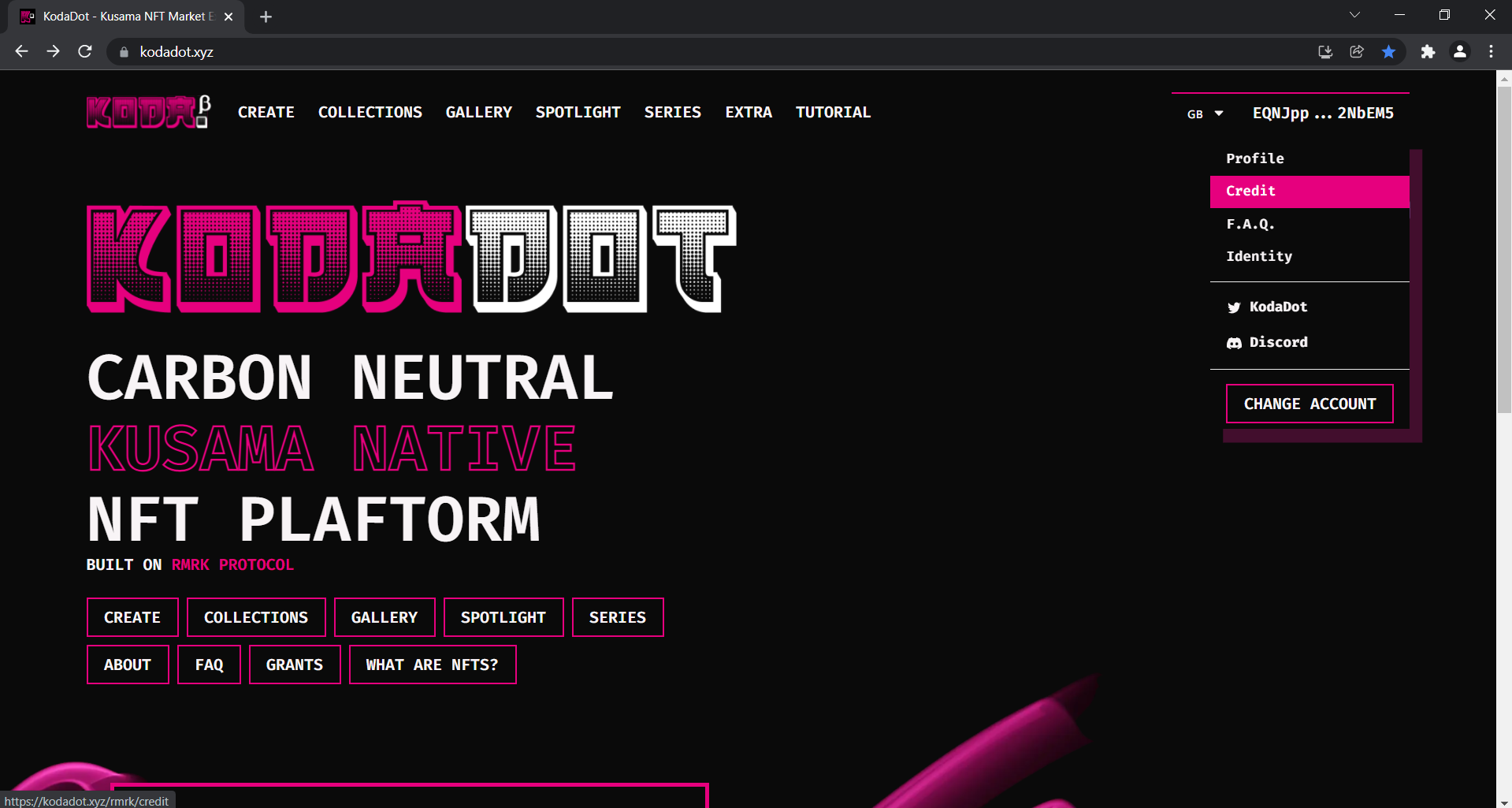
- Click on your profile and choose "credit"
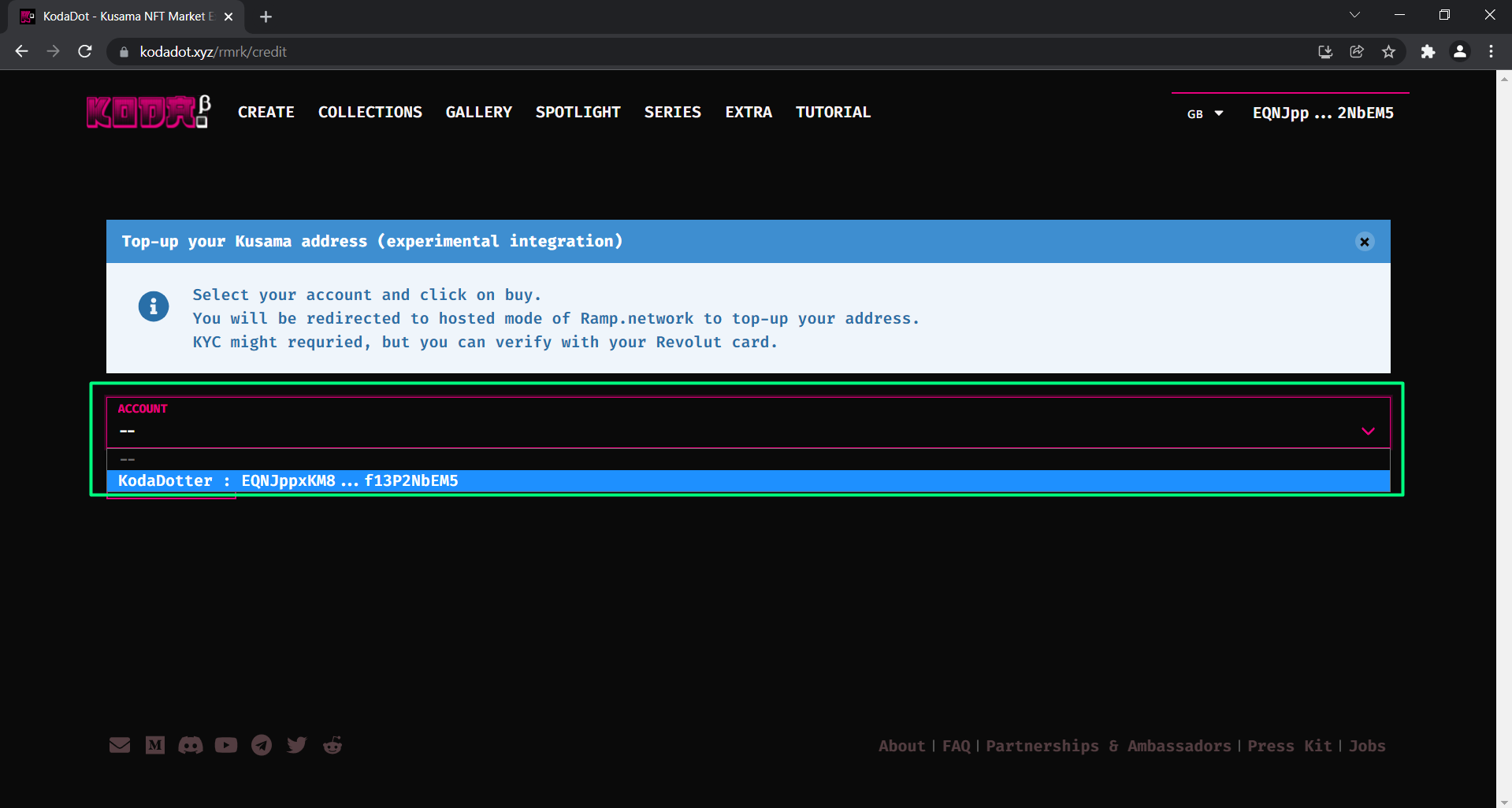
- Choose the account you want to fund
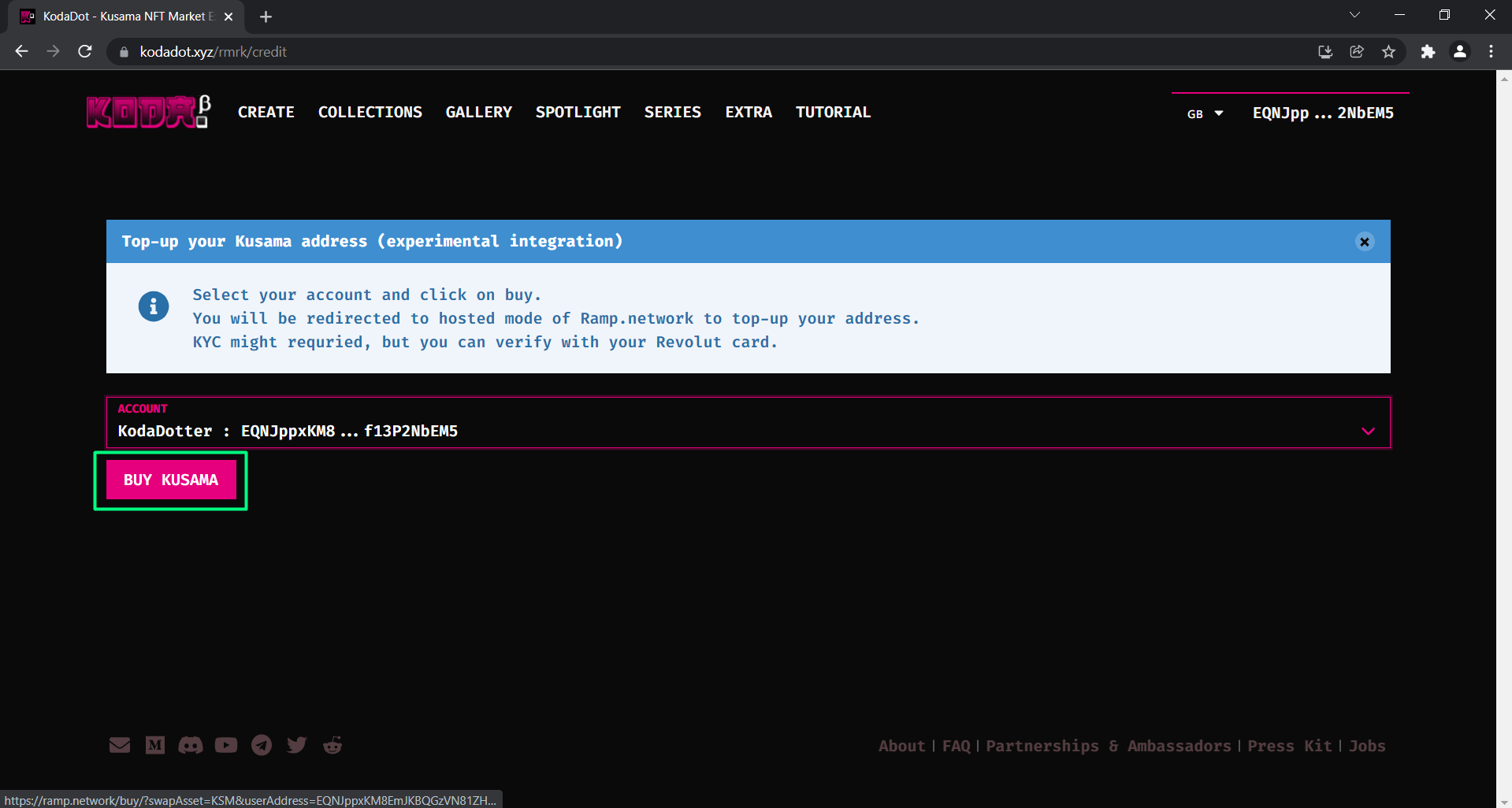
- Click on "Buy KUSAMA" which will take you to Ramp Network
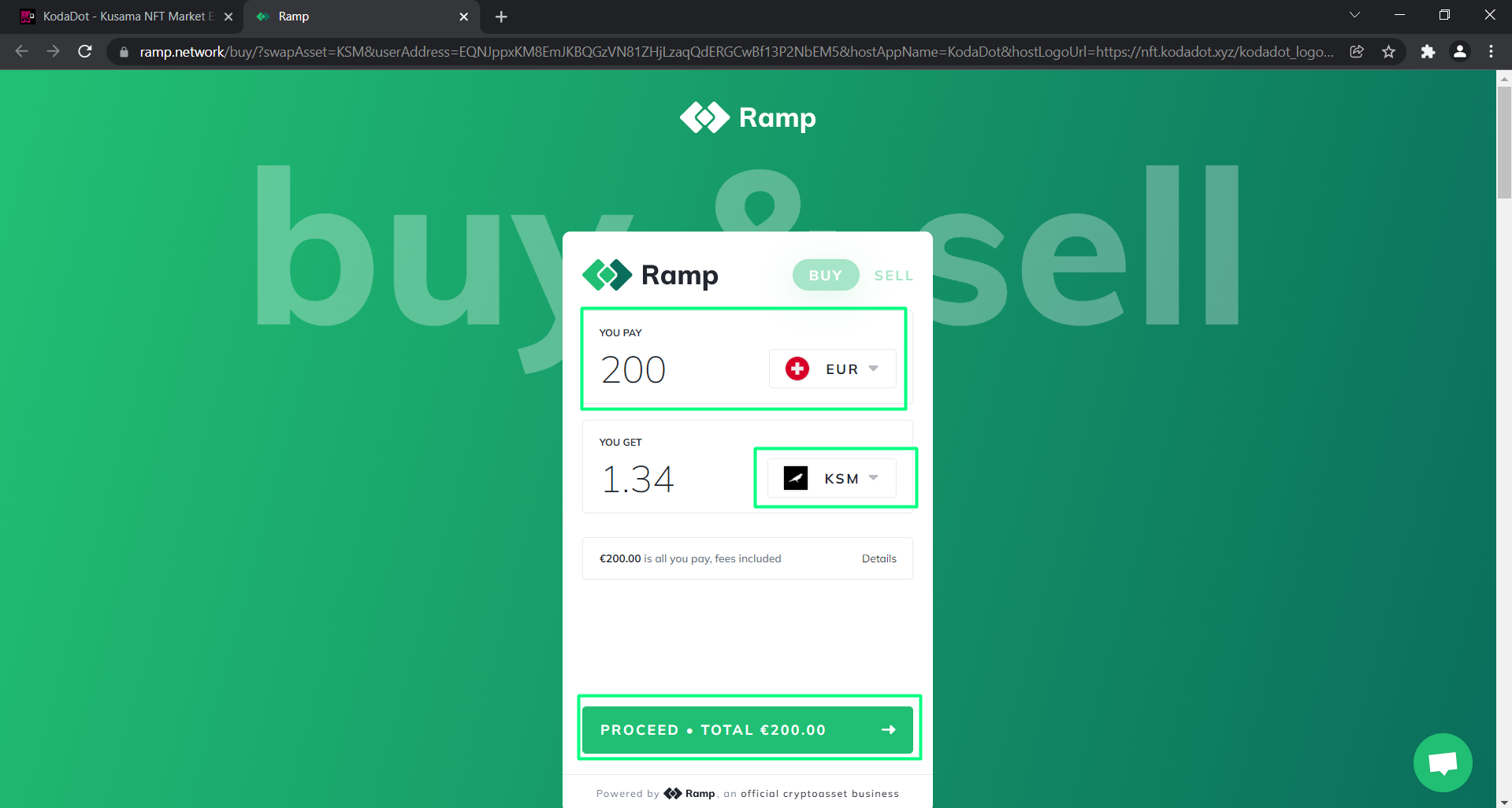
- Choose the amount and currency you'd like to add and click on "proceed"
- Enter your email address (for confirmation purposes)
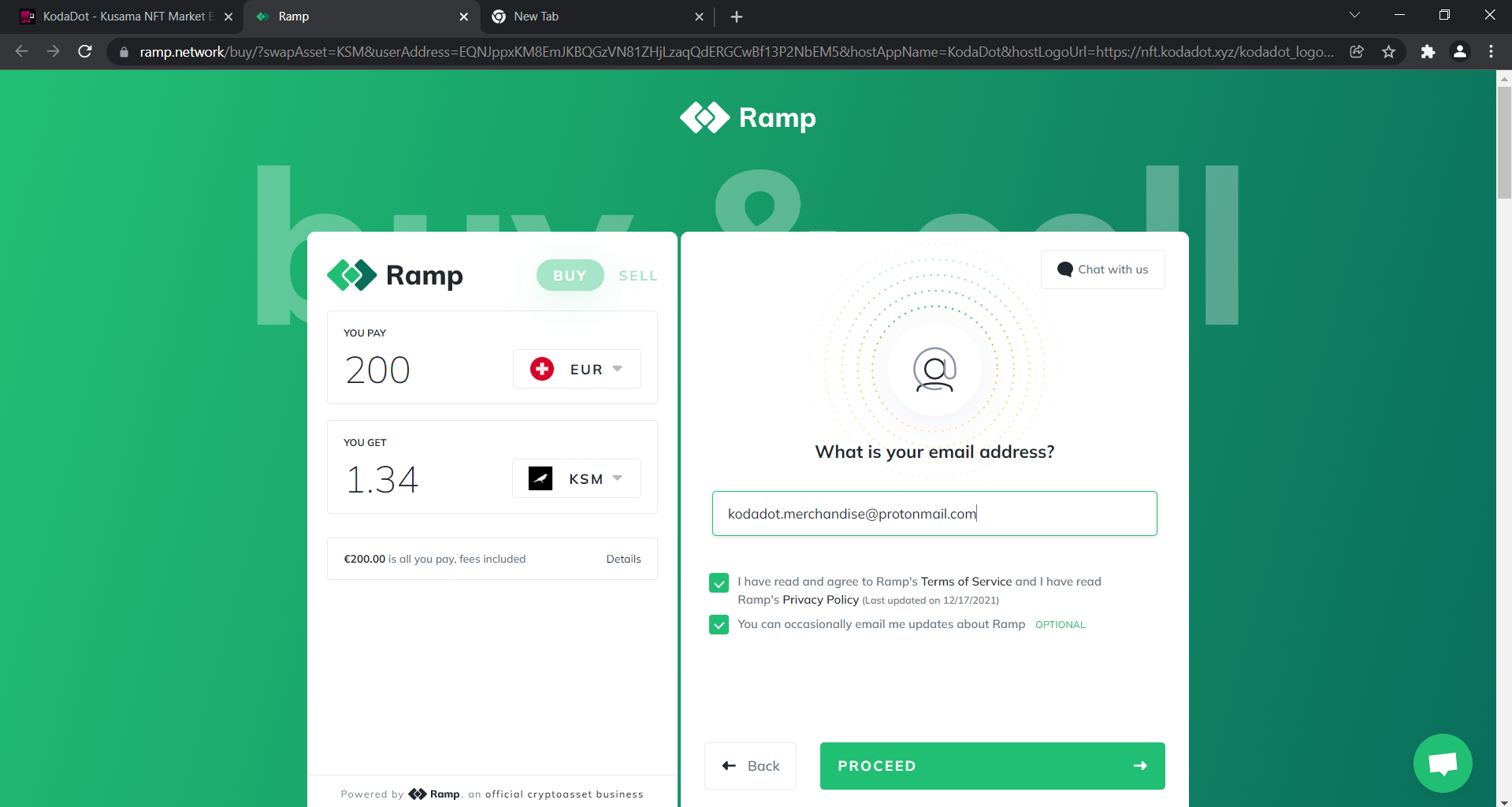
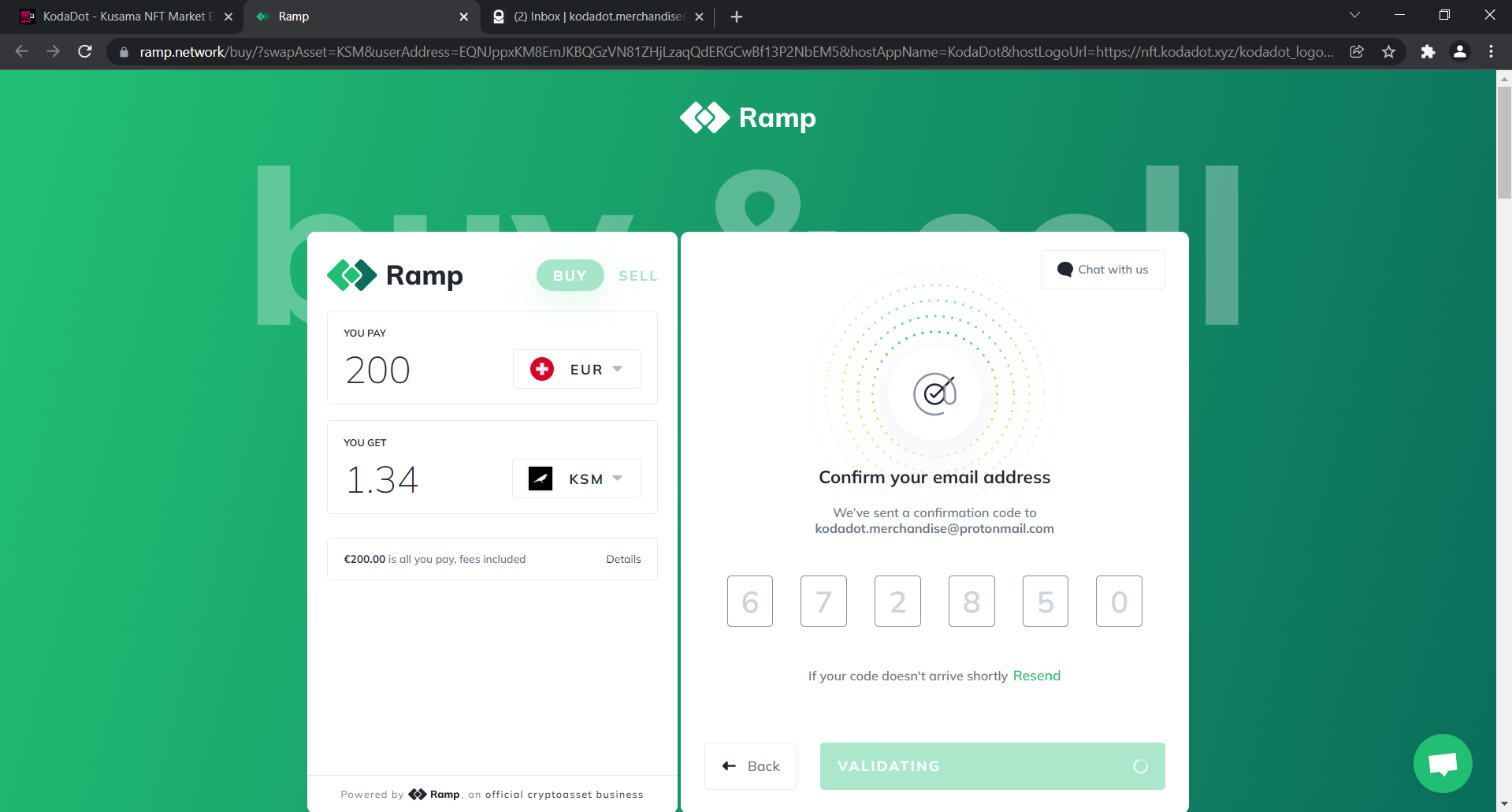
- Enter the confirmation code sent to your email
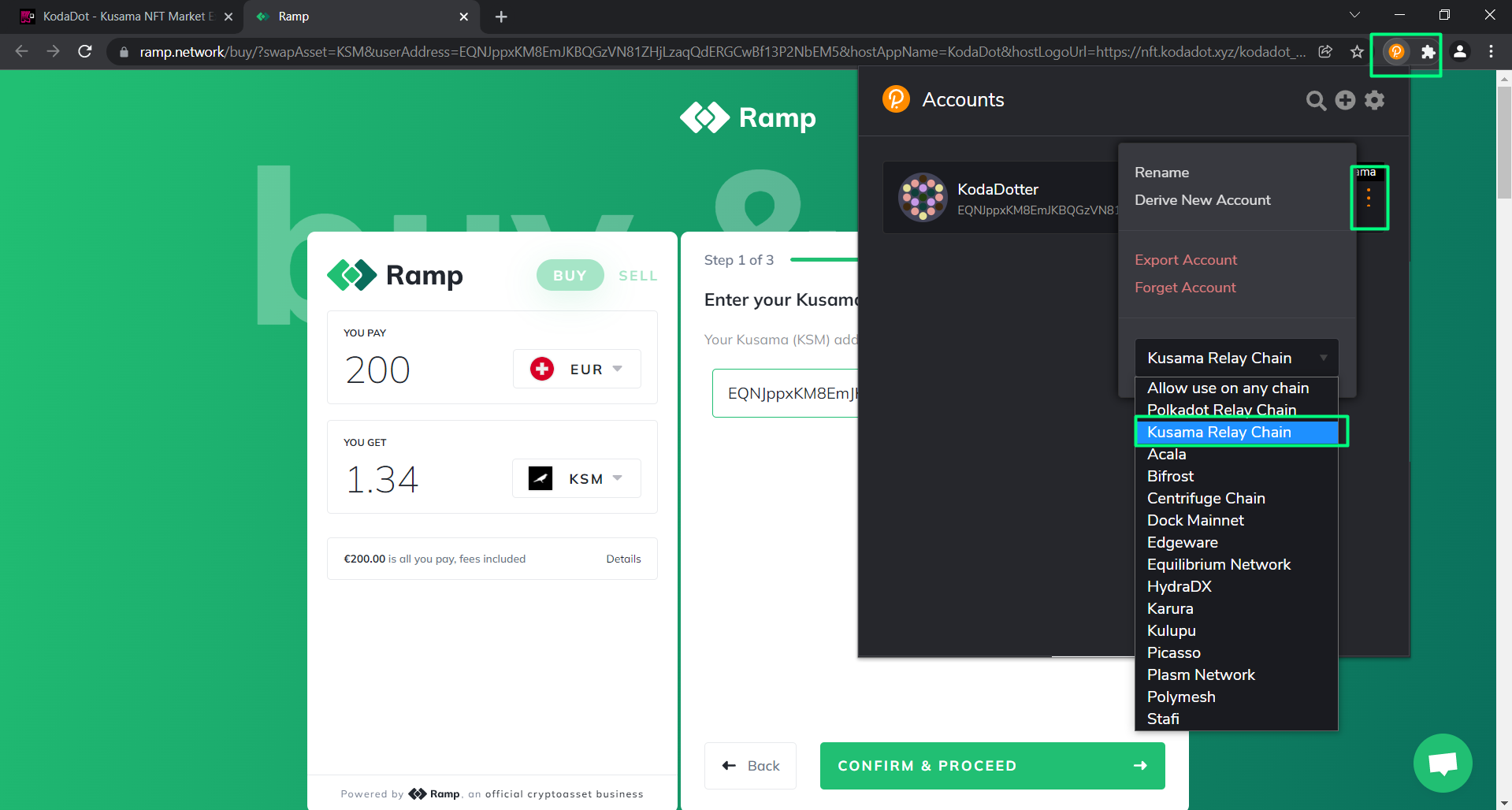
- You'll need to fetch your Kusama address:
- Click on the extension icon, choose polkadot js
- Click on the 3 dots as shown on the picture
- Change the network to the Kusama Relay Chain
Now your address is prefixed for Kusama Relay Chain. Send only $KSM to this address!
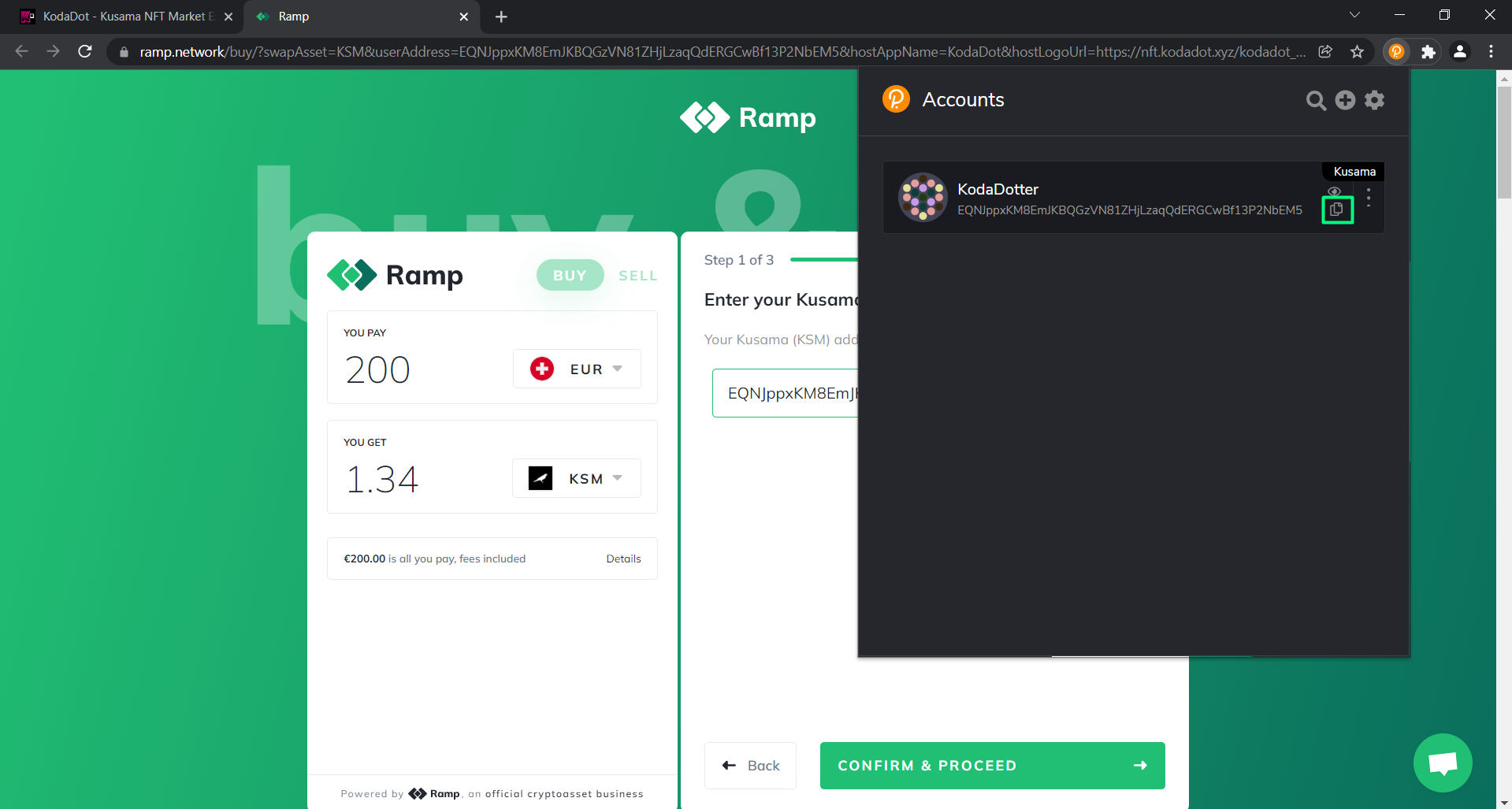
- Copy your address by clicking on the "copy" icon
Double check to make sure you're on the Kusama Relay Chain
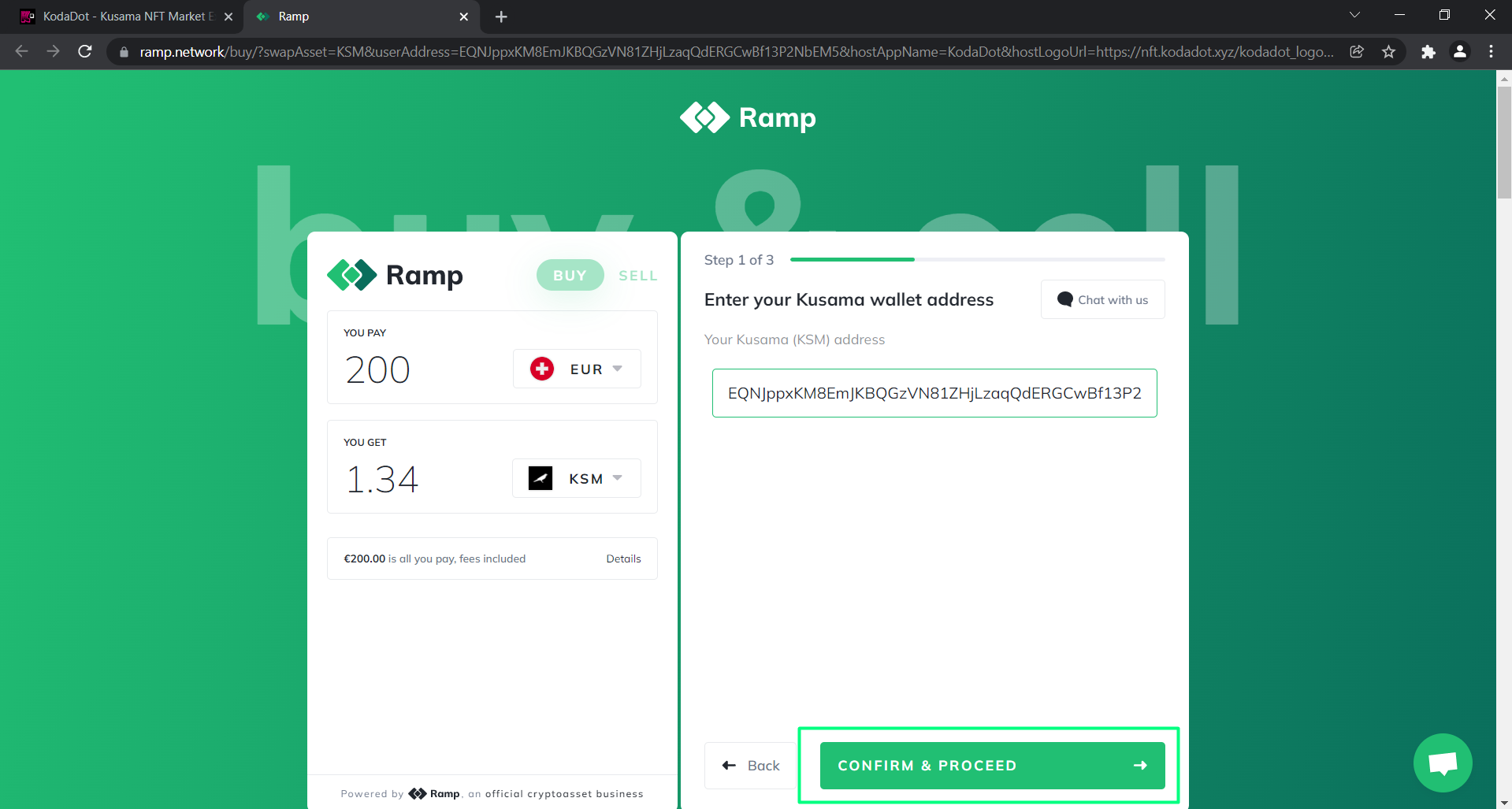
- Paste it to the "Address" box and click "Confirm and Proceed"
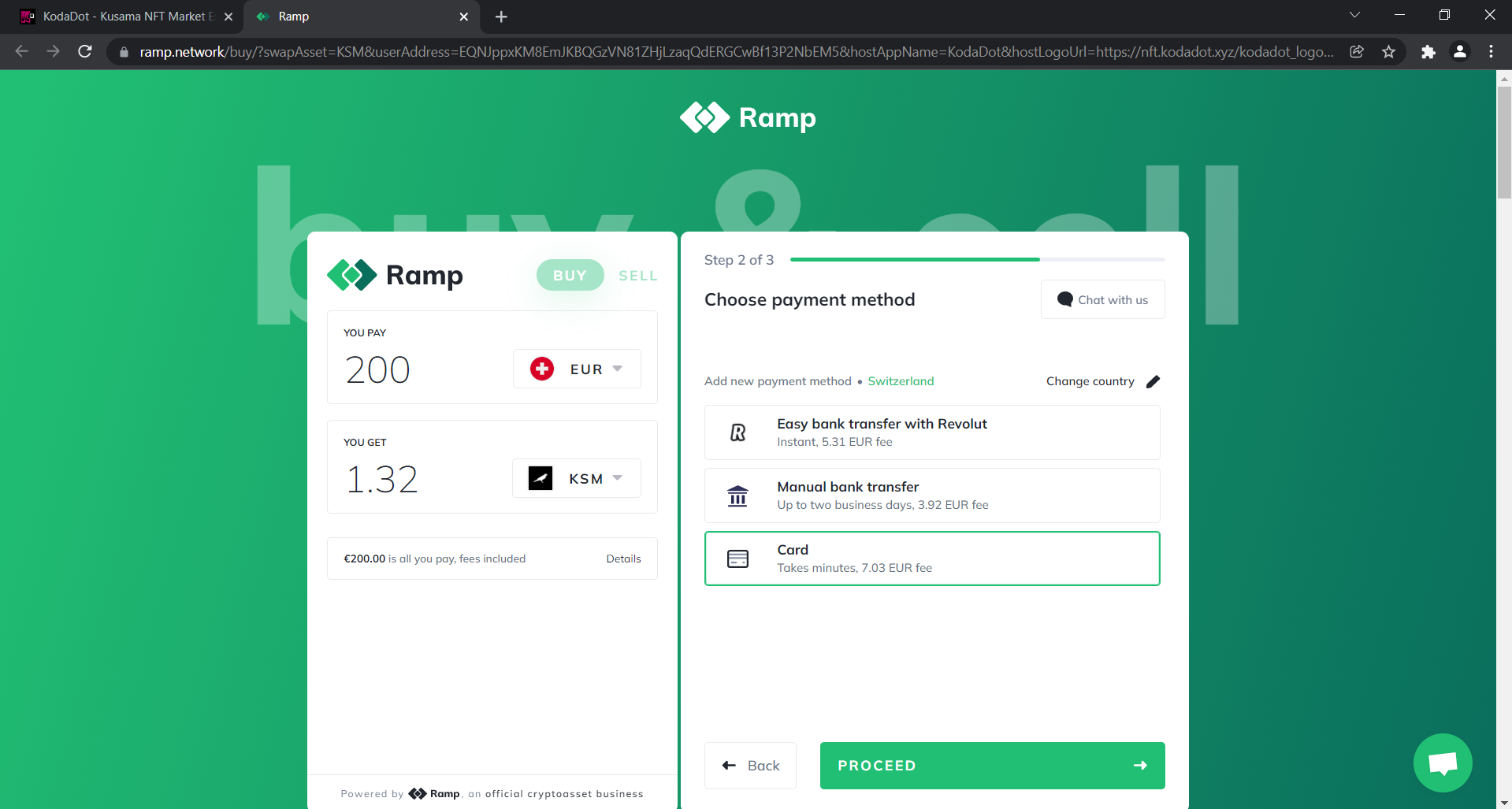
- Choose your payment method and click on "Proceed"
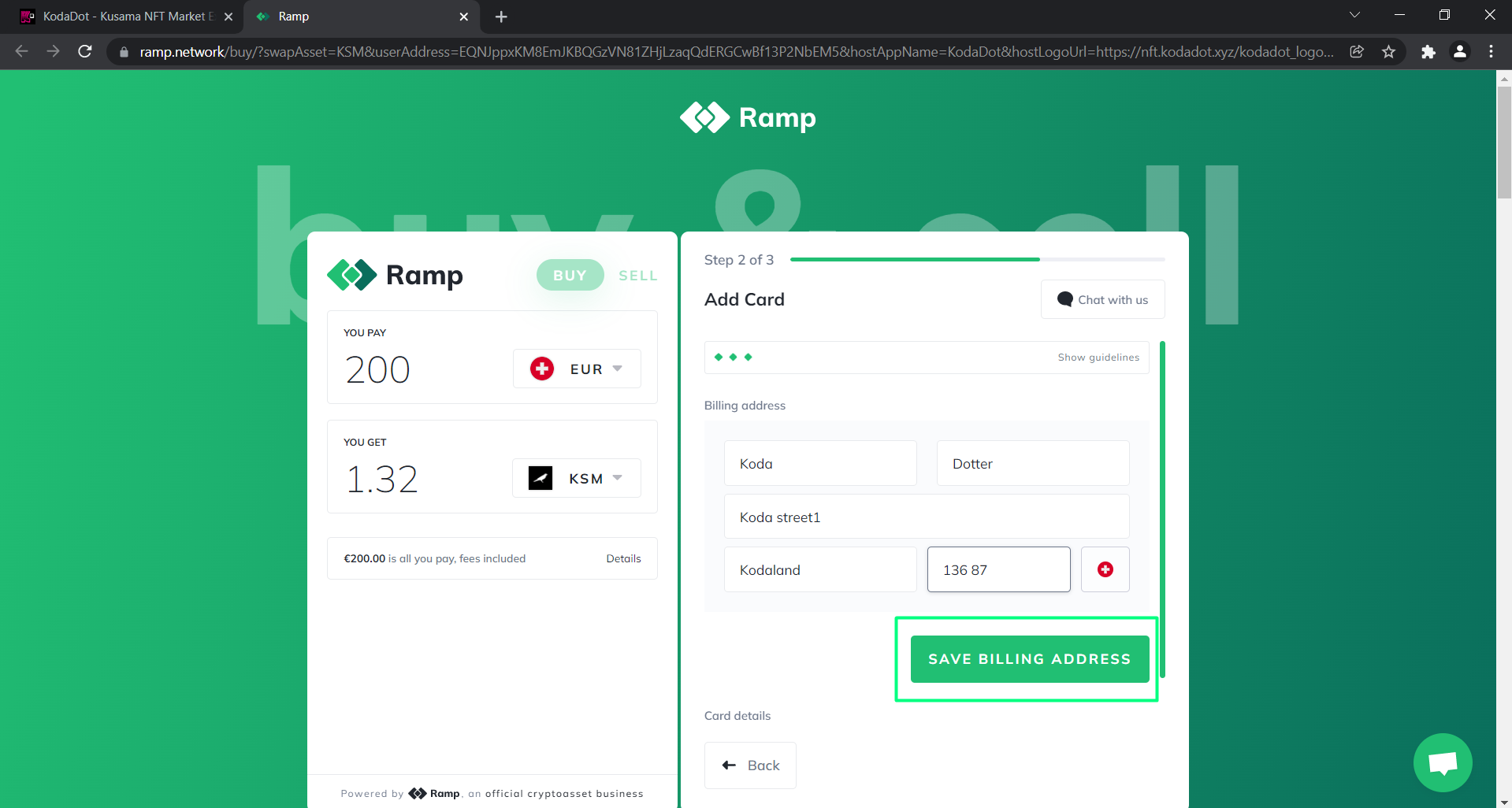
- Fill out your information and click on "Save Billing Address"
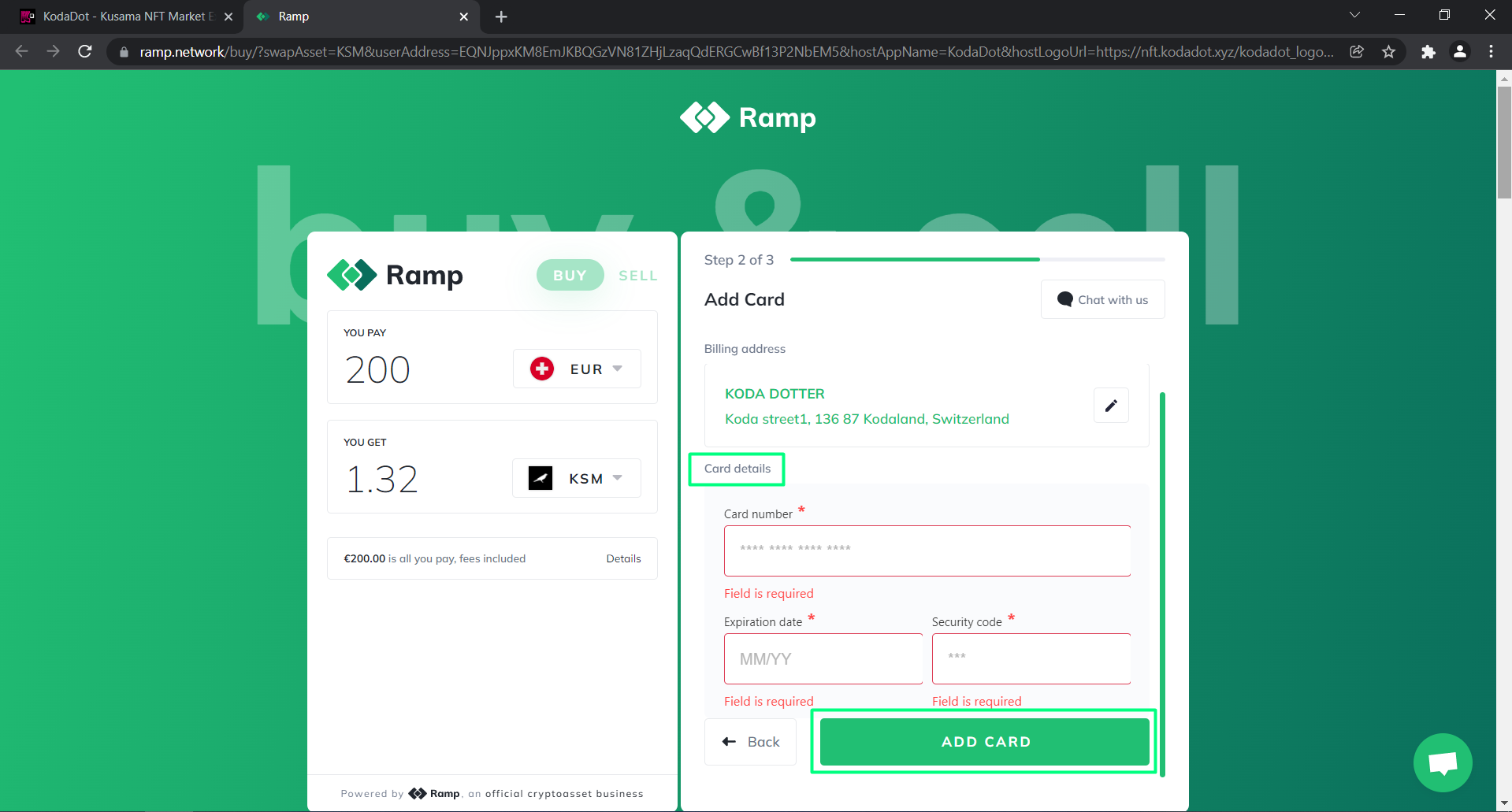
- Fill all your information and click "Add Card"
Congratulations! 🎉 Once your payment goes through, you should see $KSM should in your wallet!
2) Centralized Exchanges
We've chosen to go through Bybit in this tutorial, but the process of adding funds is similar to Binance.
Before going through this tutorial, make sure you have an account on Bybit. Create one here!
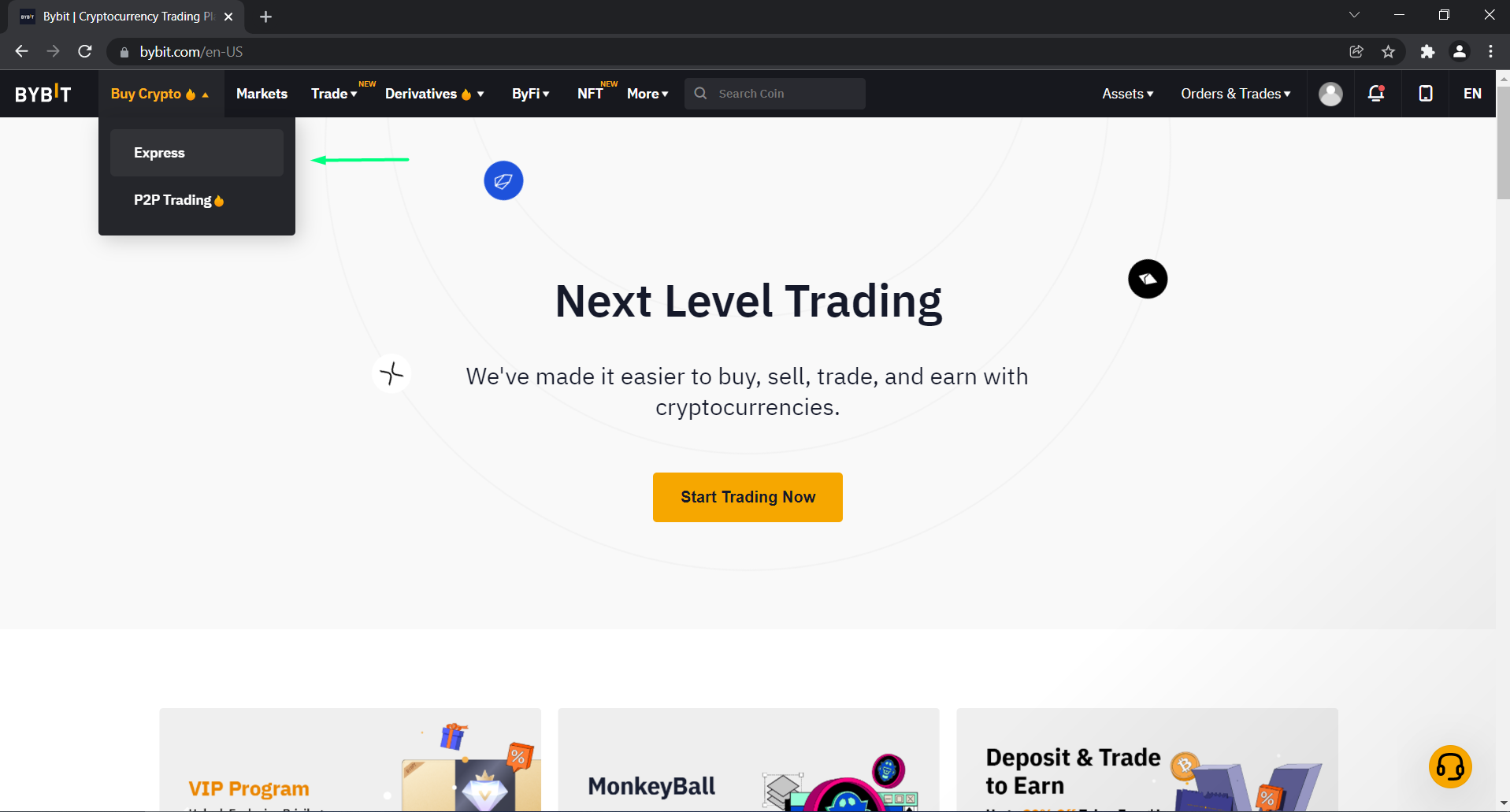
- After going to https://www.bybit.com/en-US/, select "Buy crypto" and click on "Express".
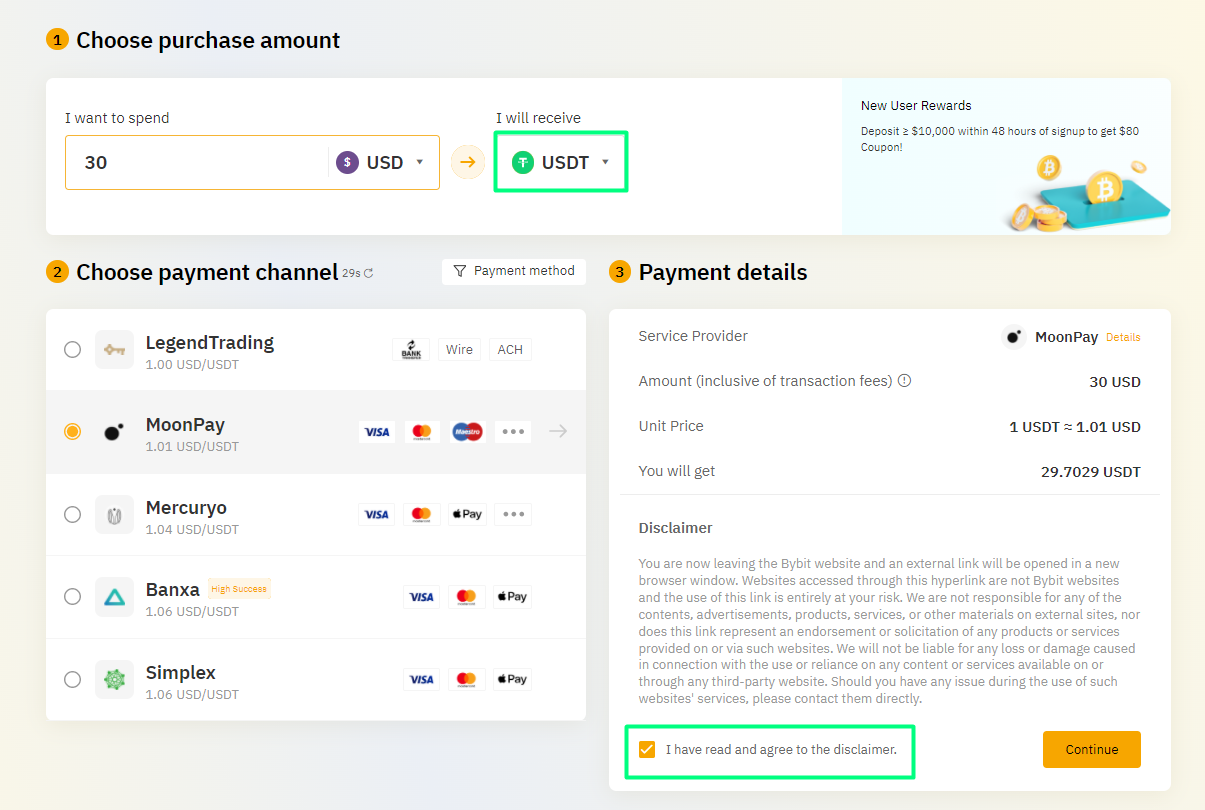
- Choose the USDT option under "I will recieve". Fill out the payment information and click "Continue".
You are buying USDT, which is a stablecoin. We'll use this to buy $KSM.
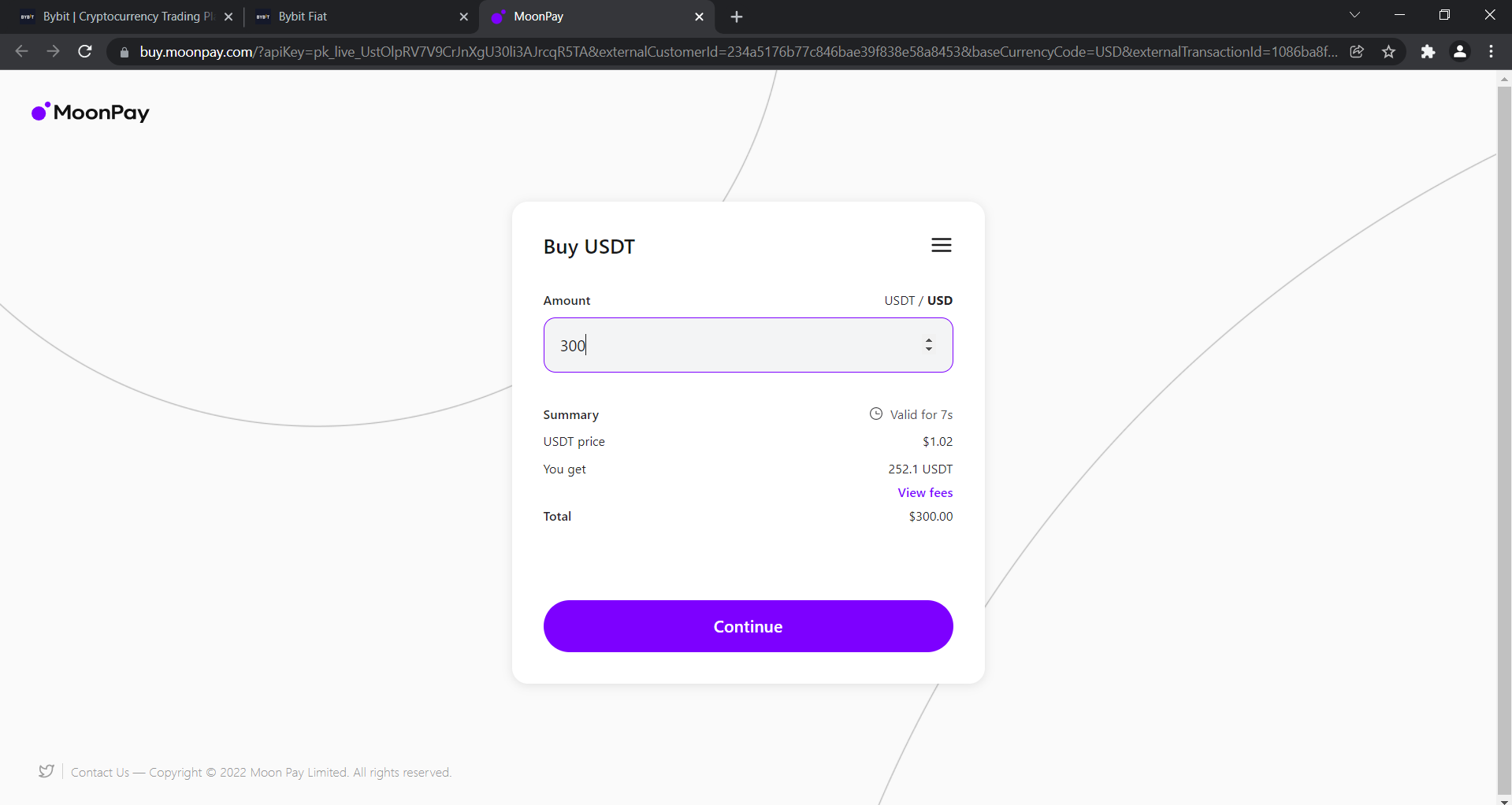
- You will be redirected to the page of your provider of choice. Fill out any information needed and proceed until you get a confirmation that you're done with the process.
Once done, your balance in spot account will be in USDT.
- To access your funds, click on "Assets" and hit "Spot account".
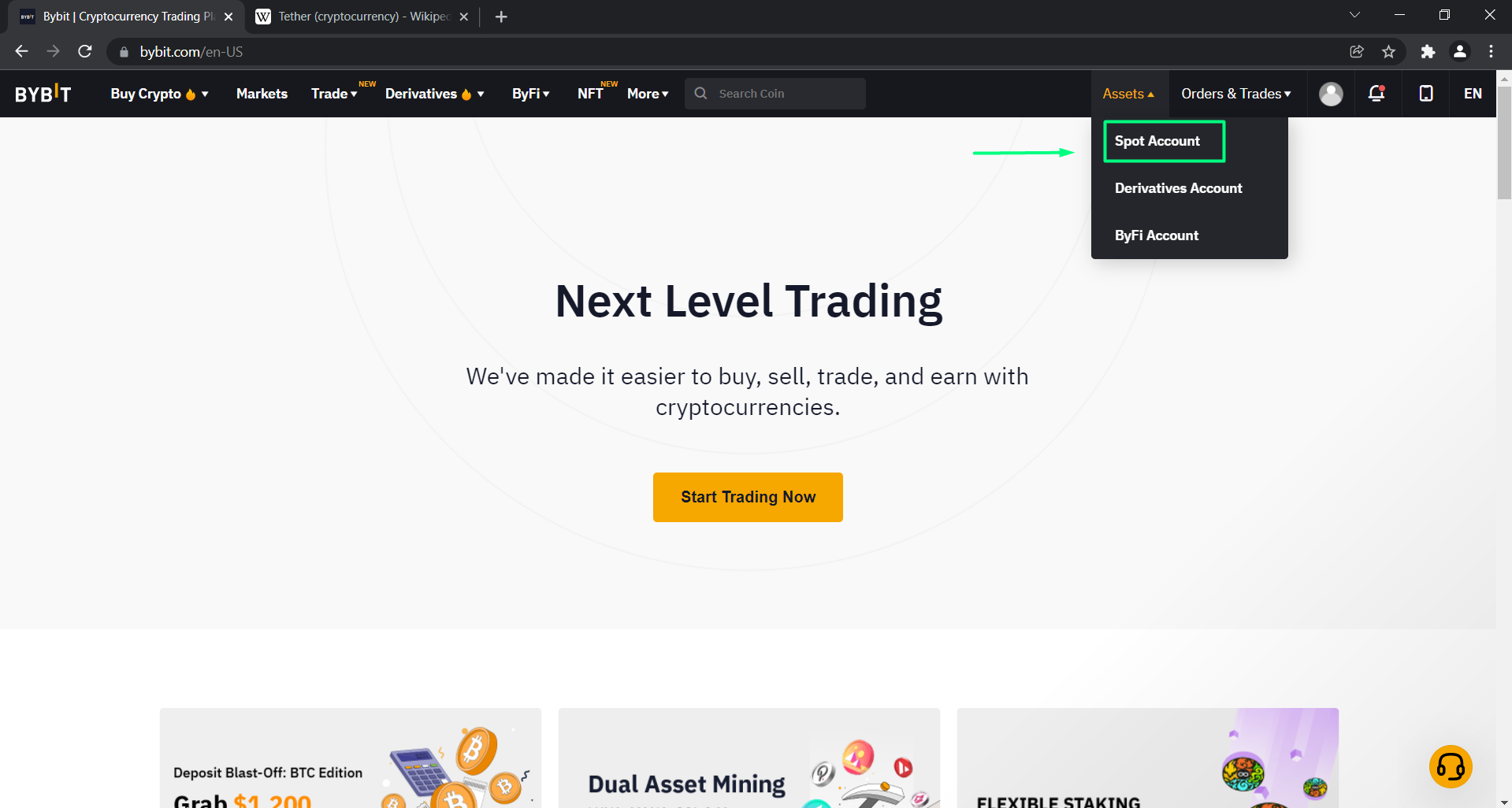
This process takes you to your Spot account overview, where you can check your balances.
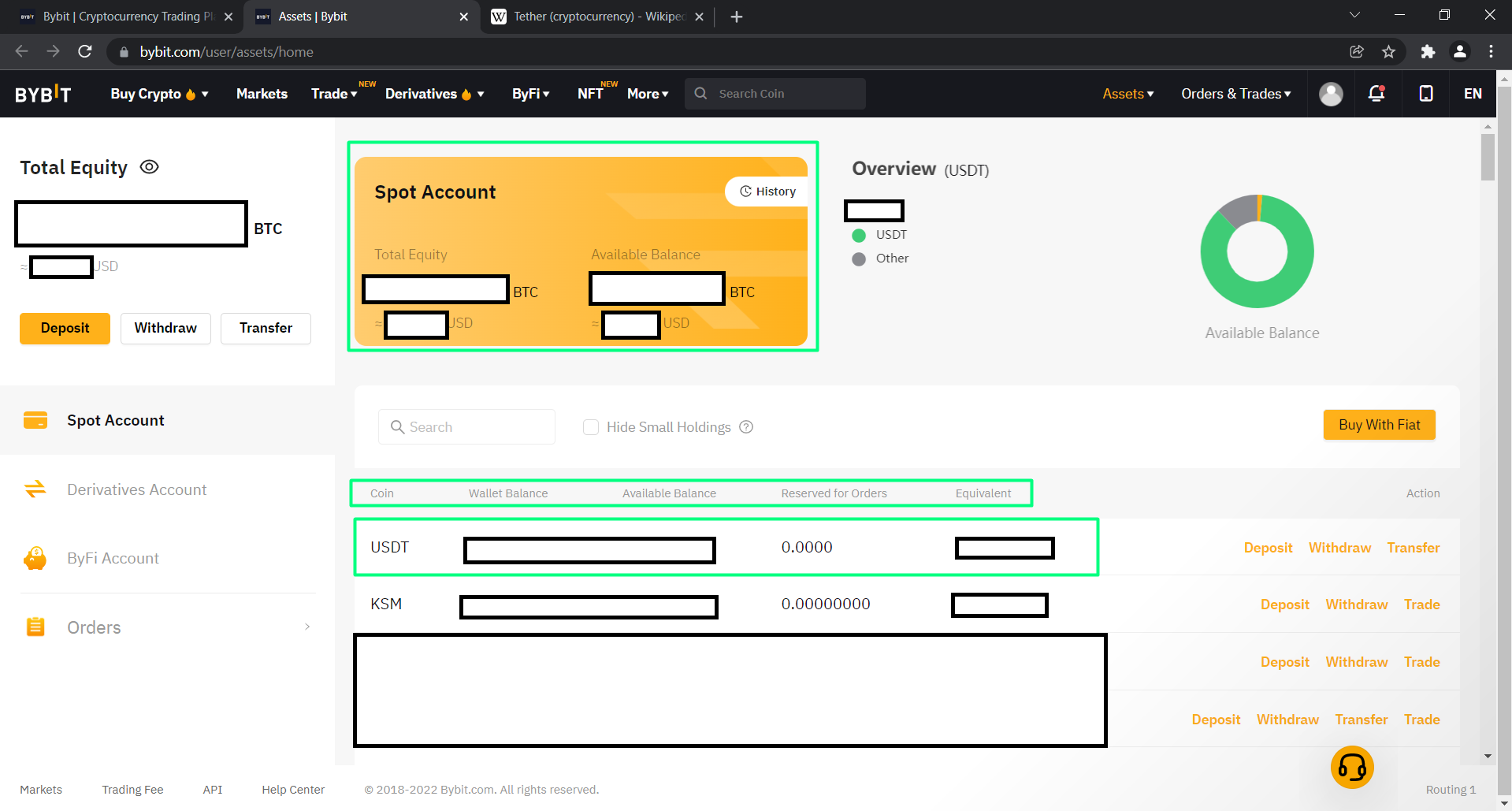
Now that we've obtained USDT, we can now go on to buy $KSM! 🎉
- Click on "Trade" and choose "USDT". Search "KSM" in the search bar.
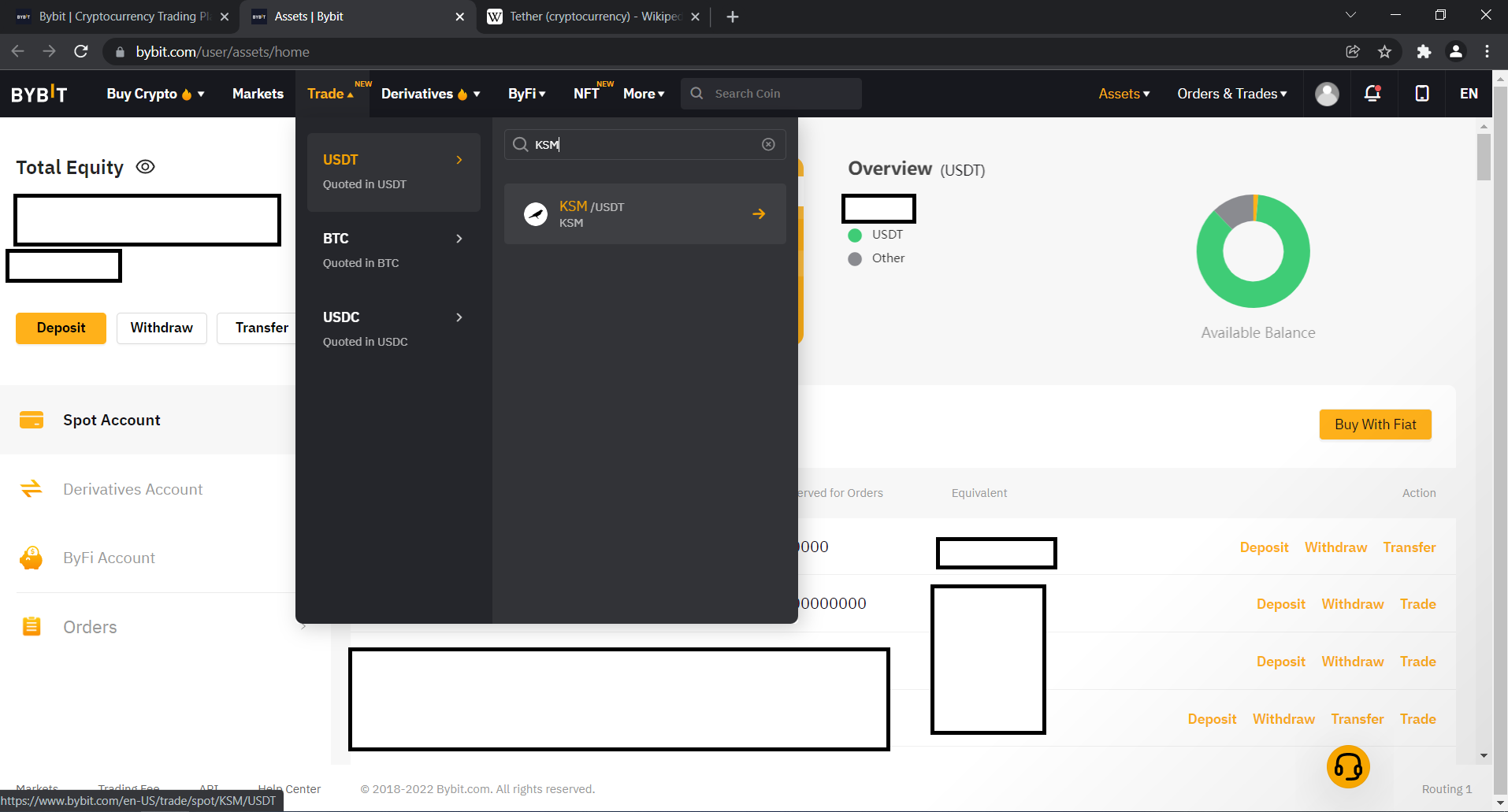
This will take you to the exchange interface.
- On the right, make sure you've chosen the "Buy" and "Market" options. This will allow you to market buy $KSM. Input order value and click on Buy KSM.
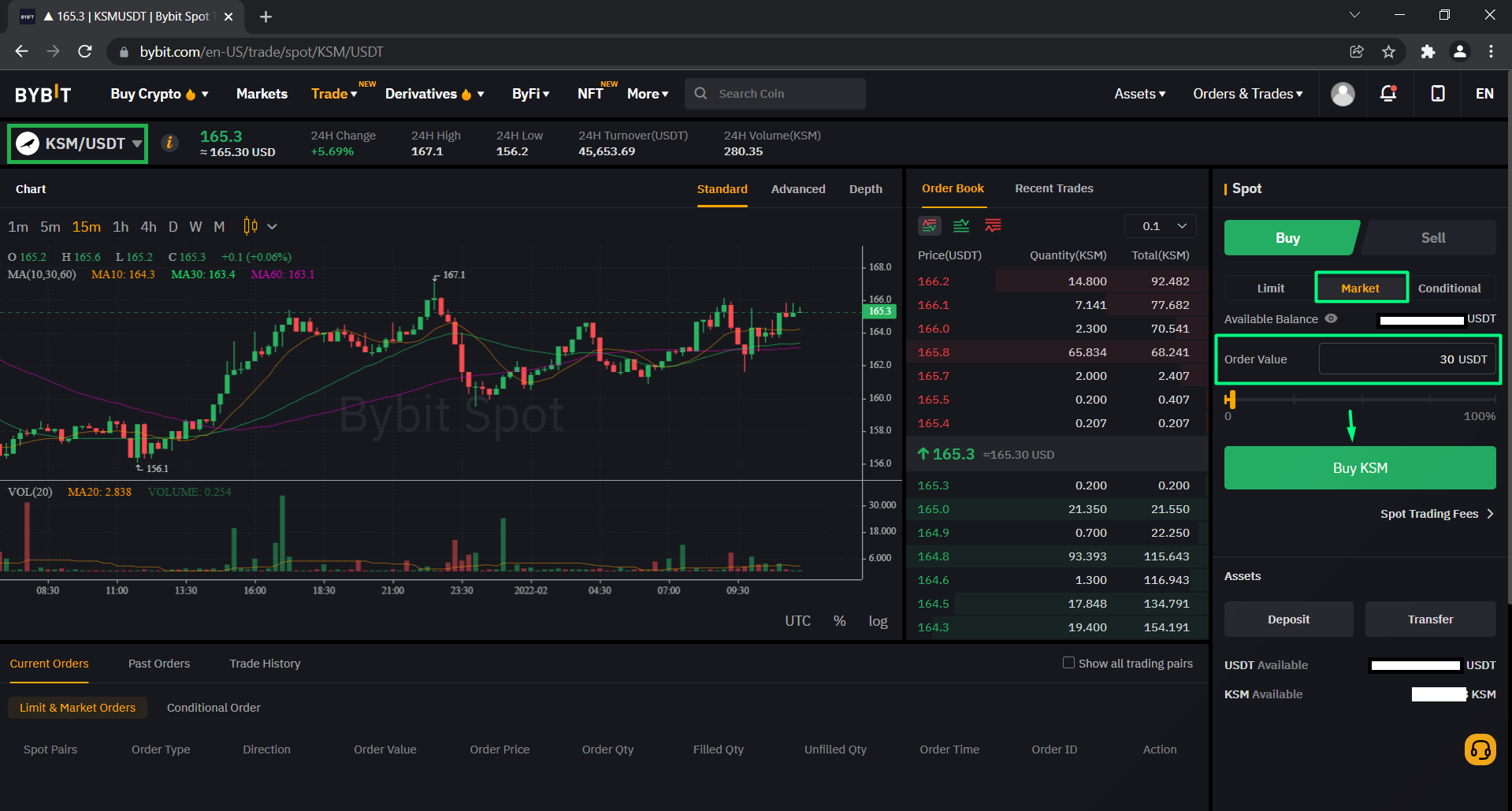
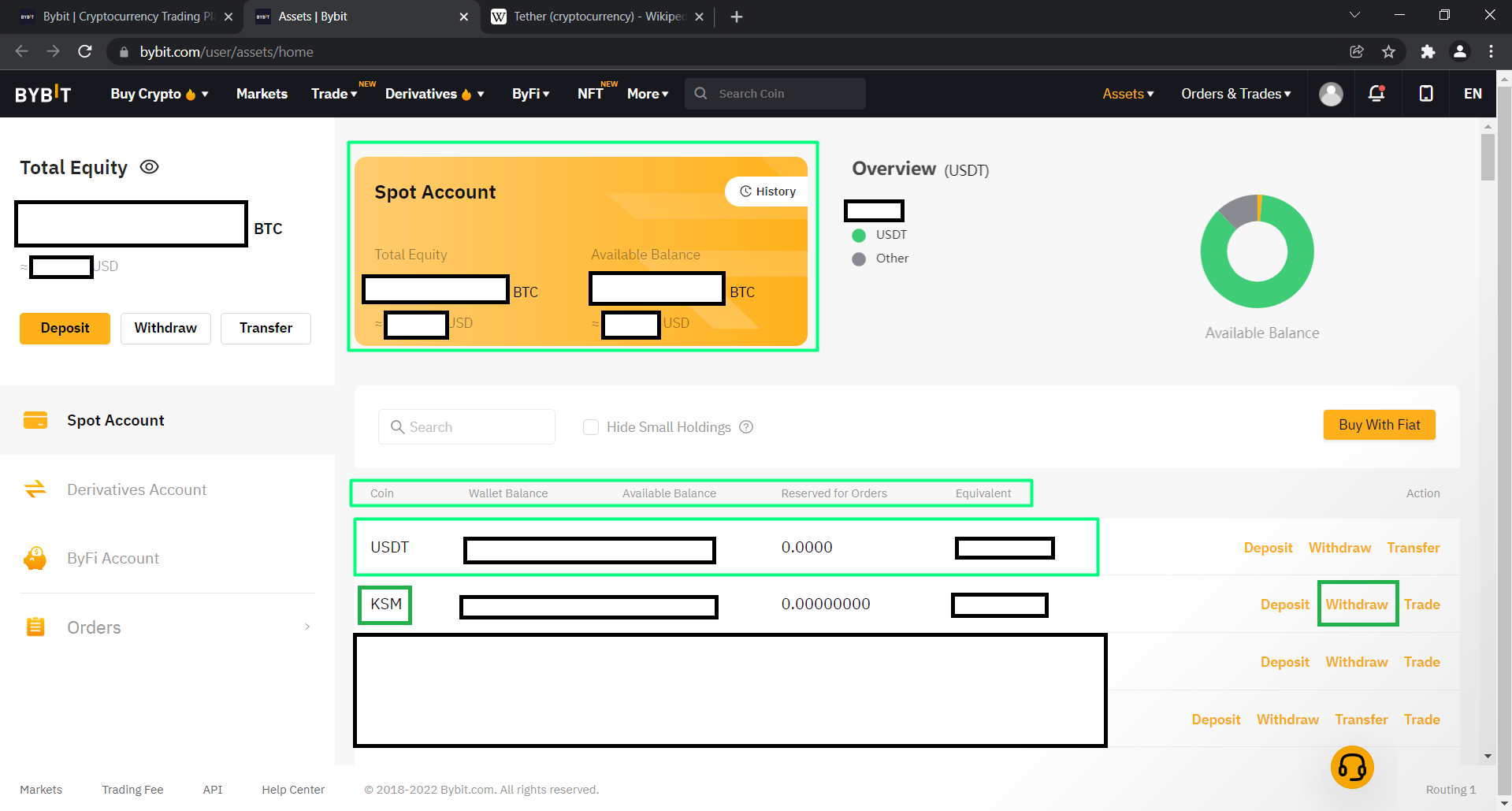
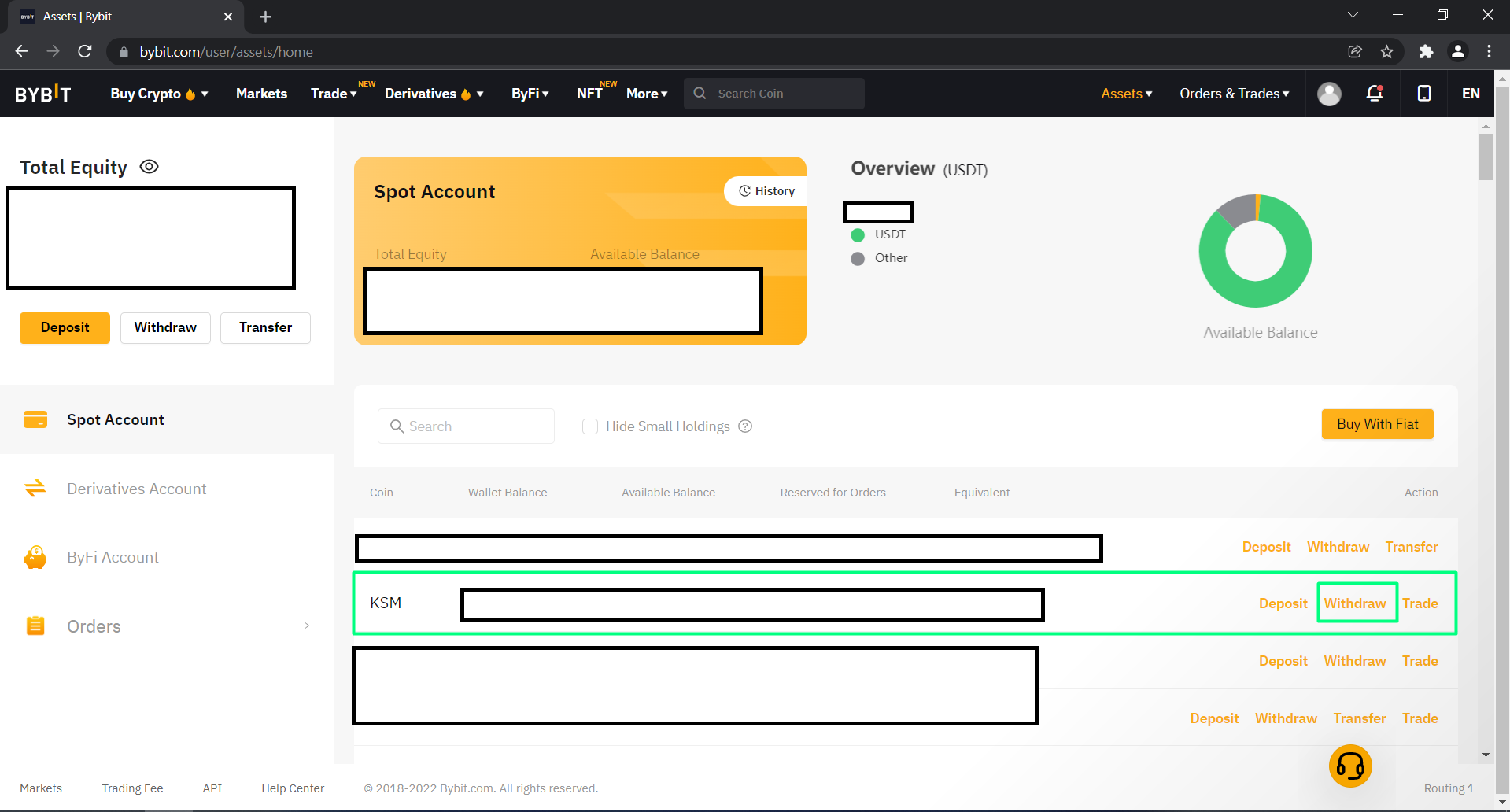
- After purchasing your $KSM, click on "Assets" and choose "Spot Account" on the top right.
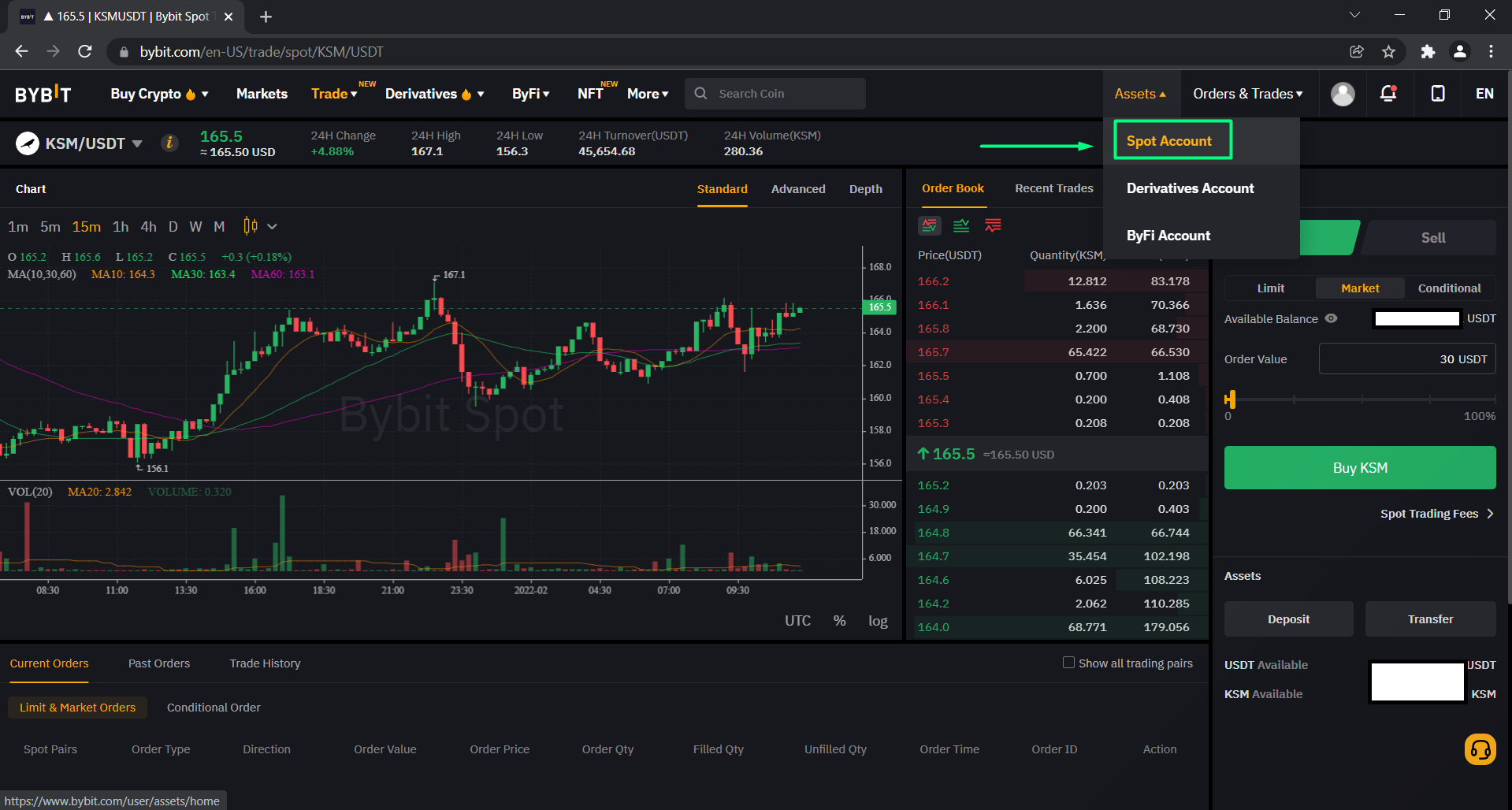
This will take you to your Overview where can you withdraw your purchased coins.
- Find KSM and click on "Withdraw"
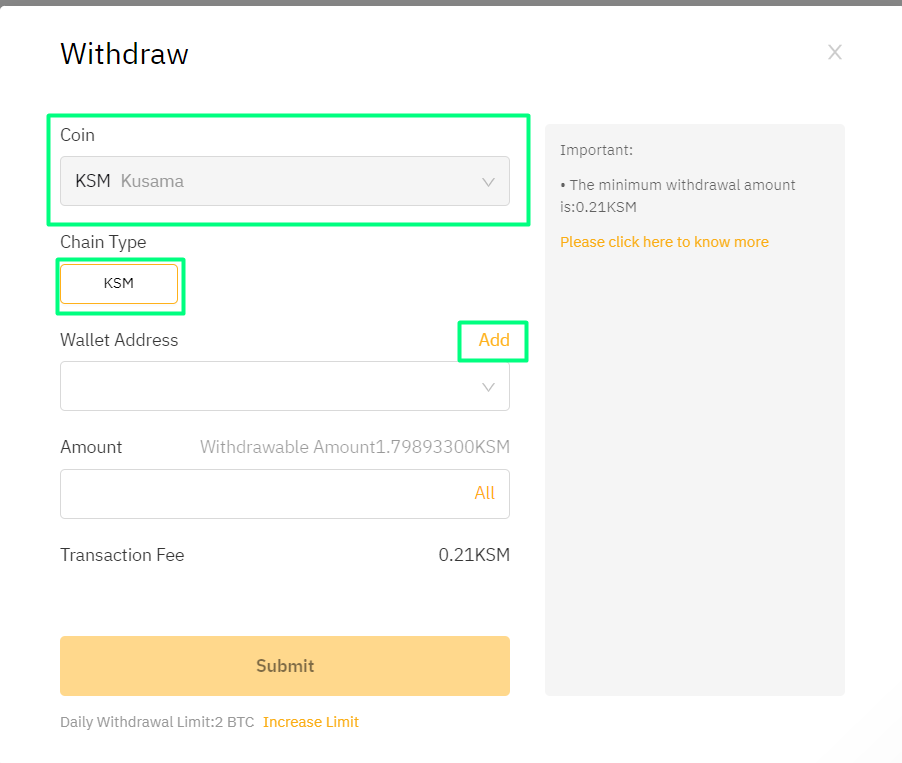
- A window will pop up. For security purposes, add your wallet address.
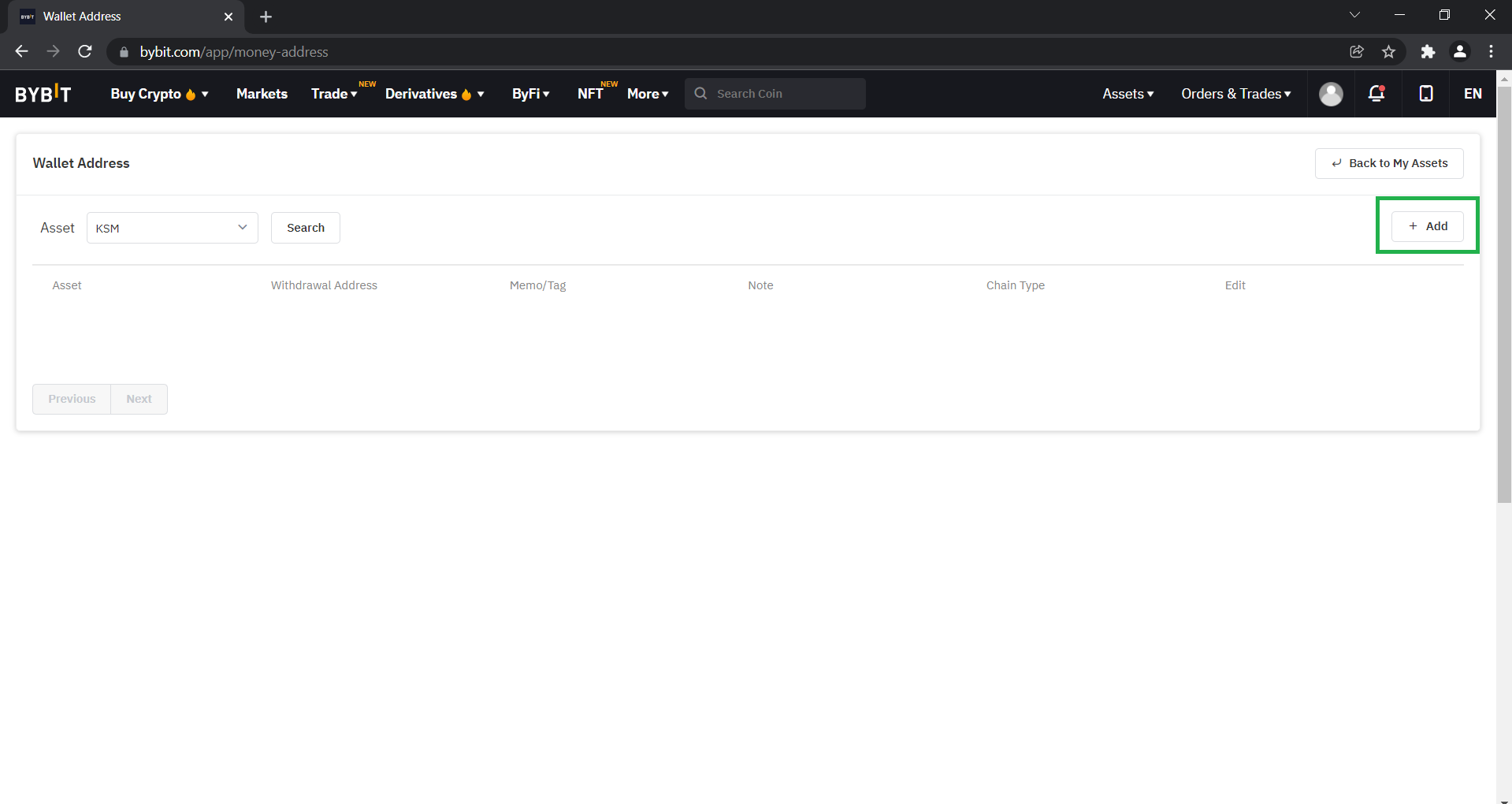
This takes you to your address list, where you can keep all your addresses for future withdrawals.
- Click on "Add".
It's important to keep in mind, that your polkadot.js wallet has the network set to Kusama Relay Chain.
- Go to the polkadot.js extenion, click on those 3 dots at the top right and change the network to Kusama Relay Chain.
Now your address is prefixed for the Kusama Relay Chain. Send only $KSM to this address!
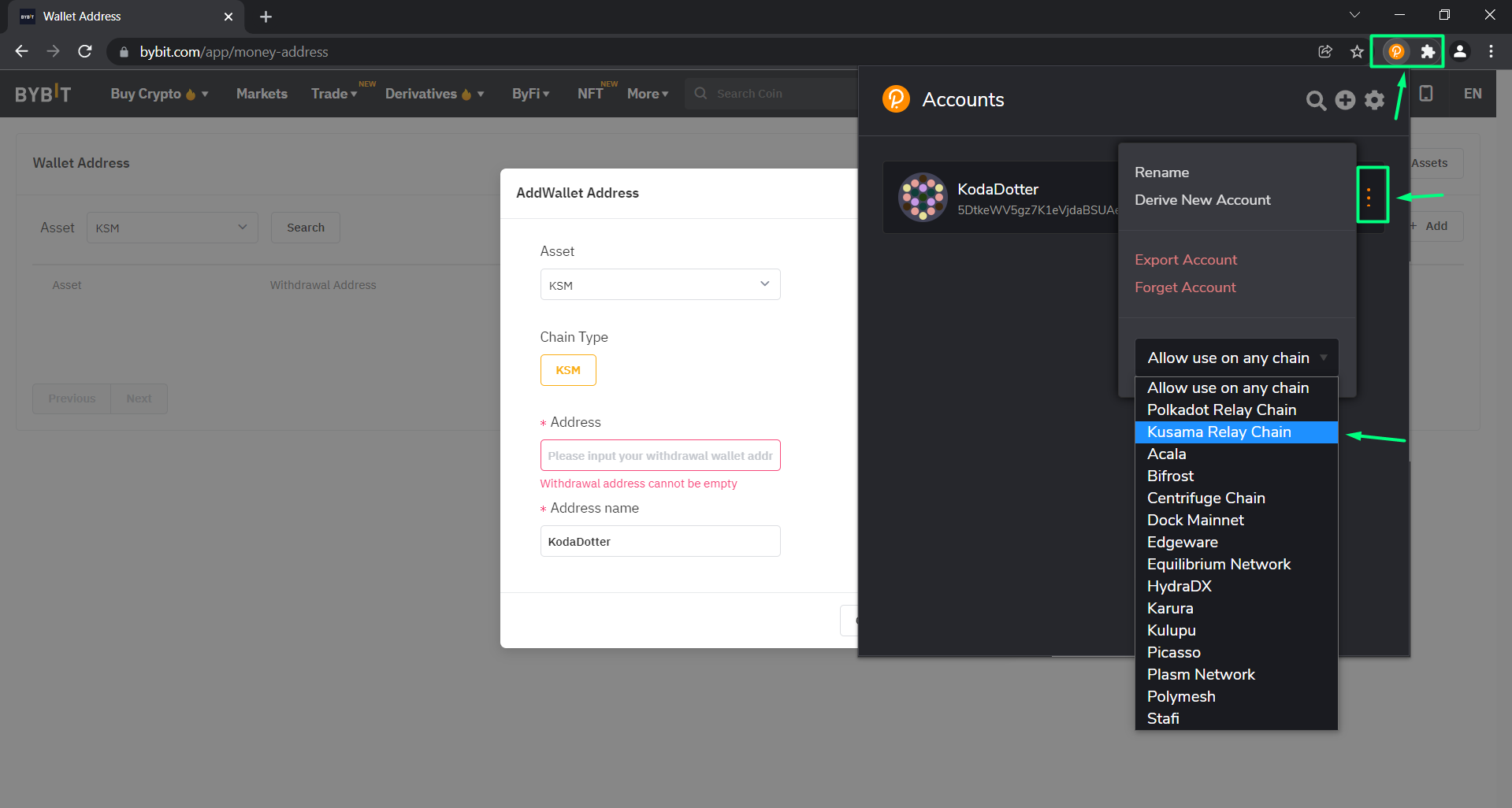
- Copy your wallet address by clicking on the copy icon.
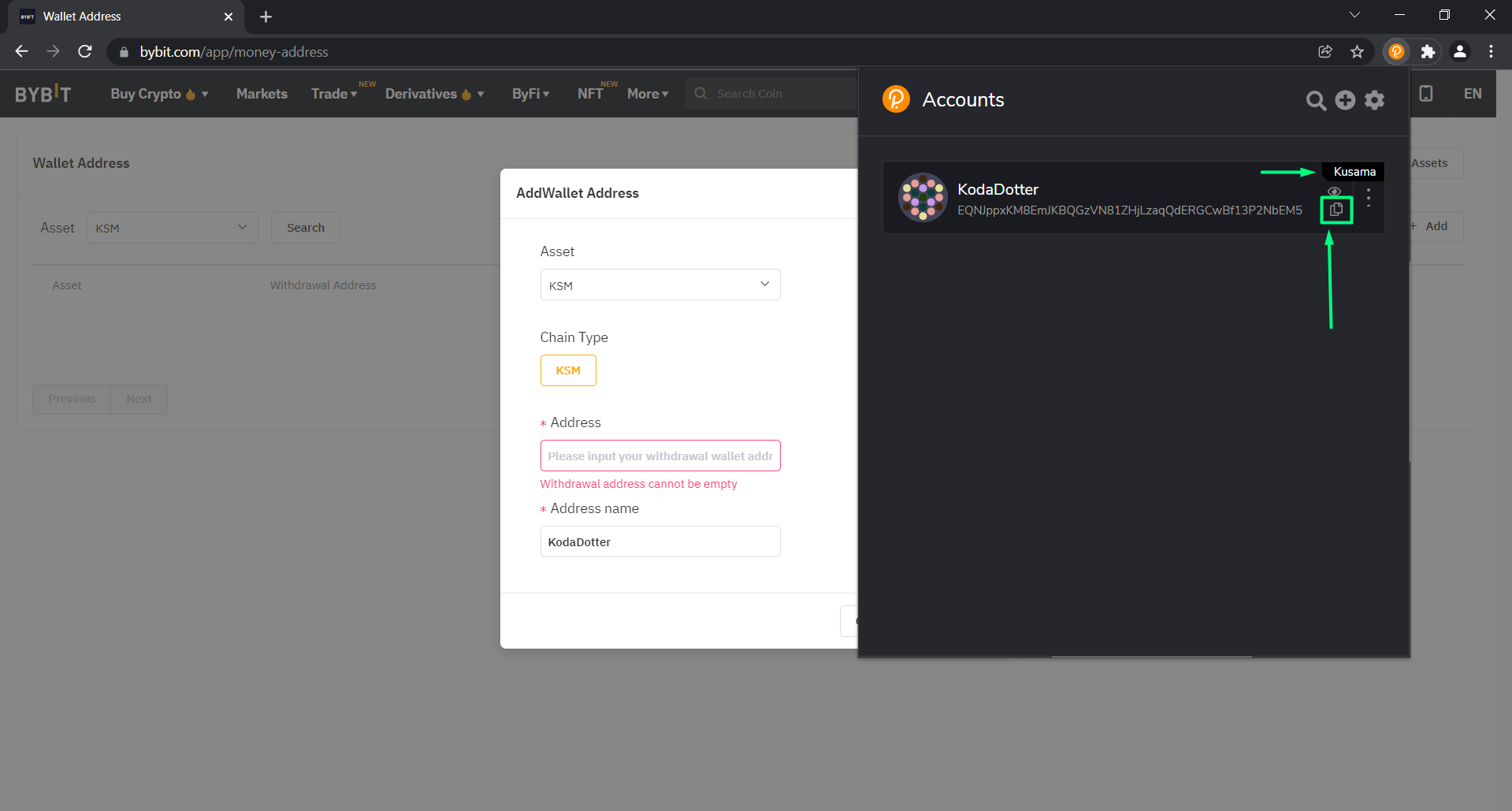
- Paste your wallet address in the "Address" box, come up with an Address name and click on "Continue".
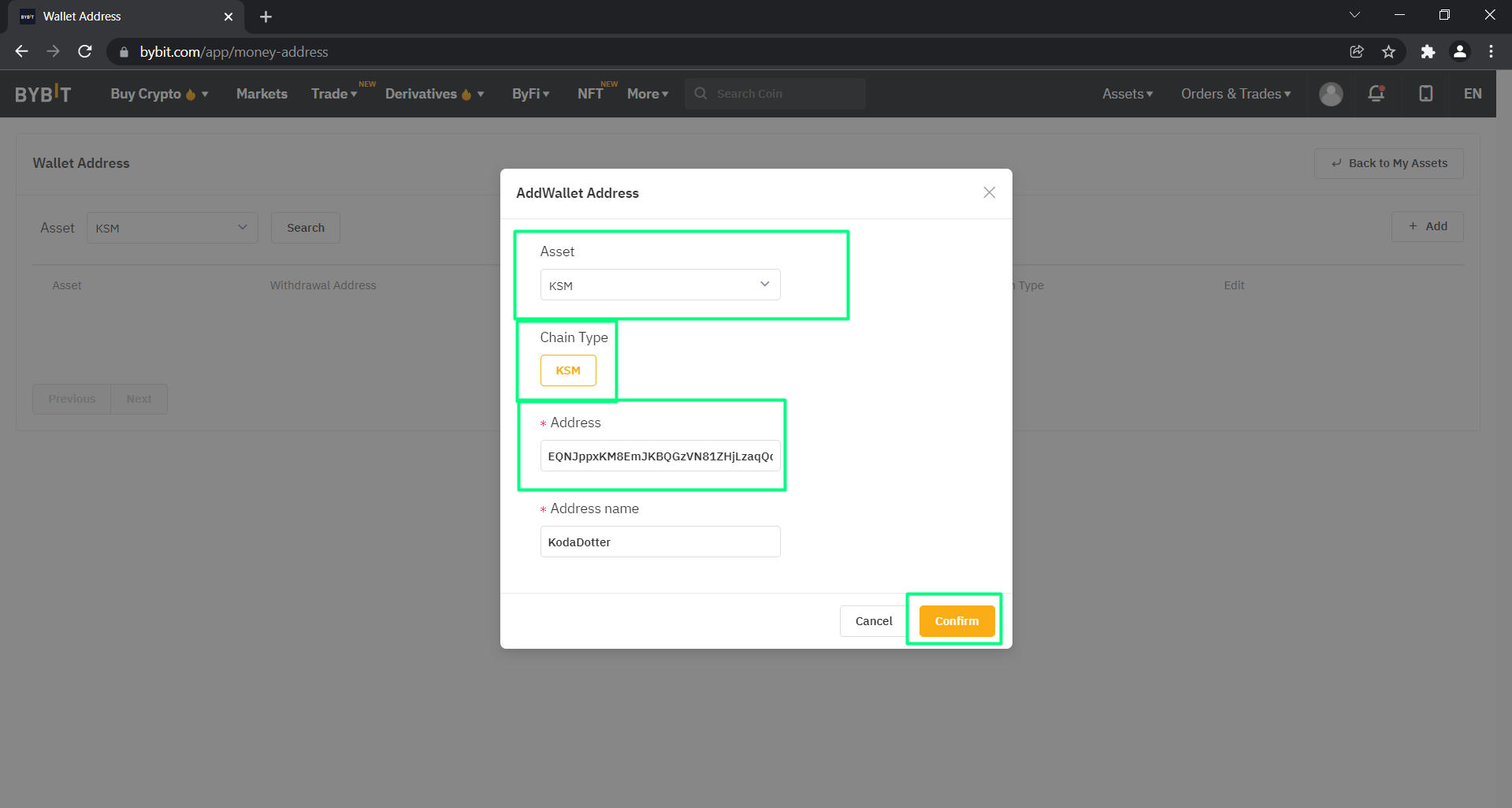
- If you have 2FA enabled (recommended), input your 2FA code and click "Continue".
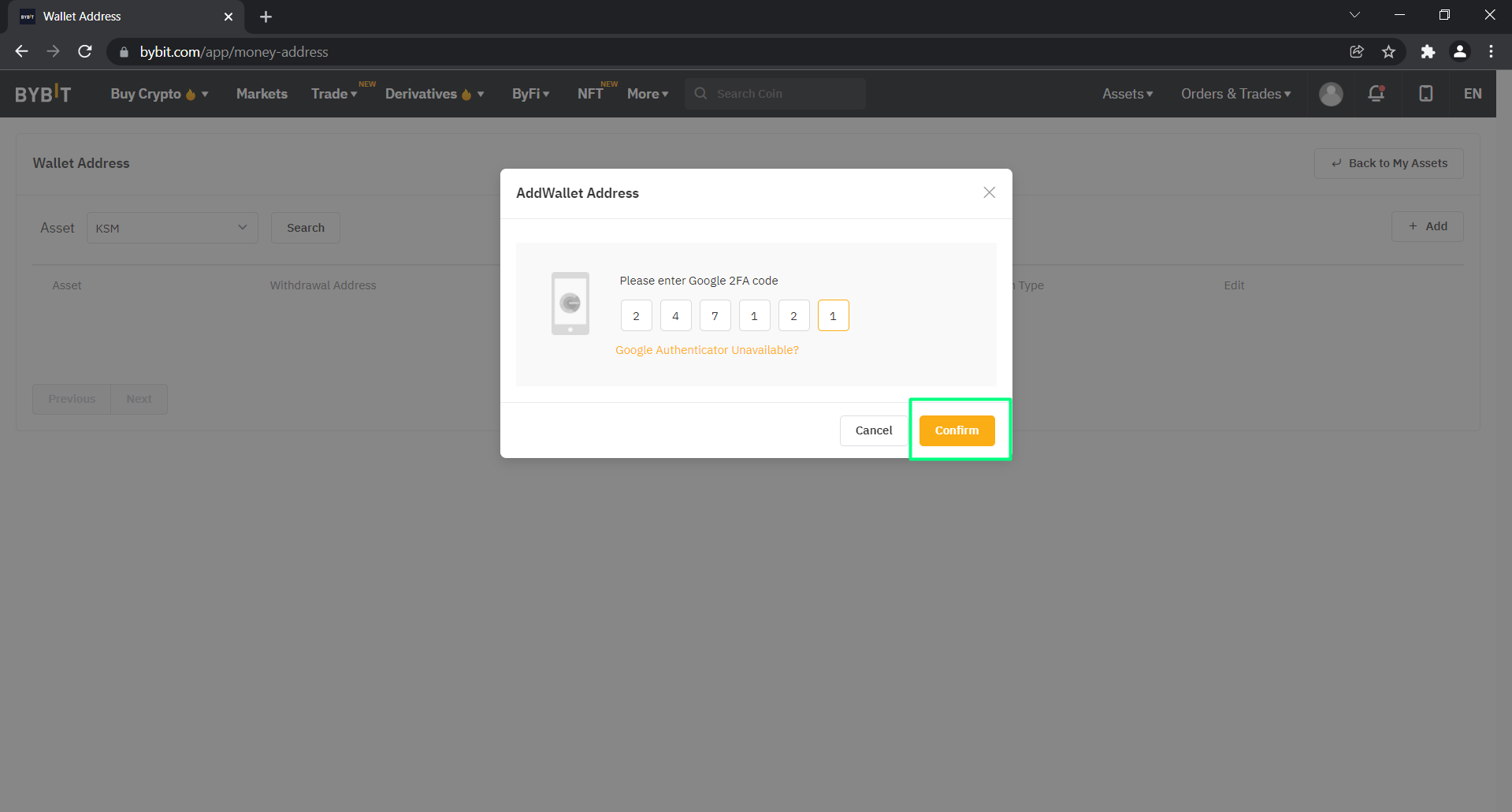
- Your address should pop up on your address list. Go to the top right and click on "Back to My Assets".
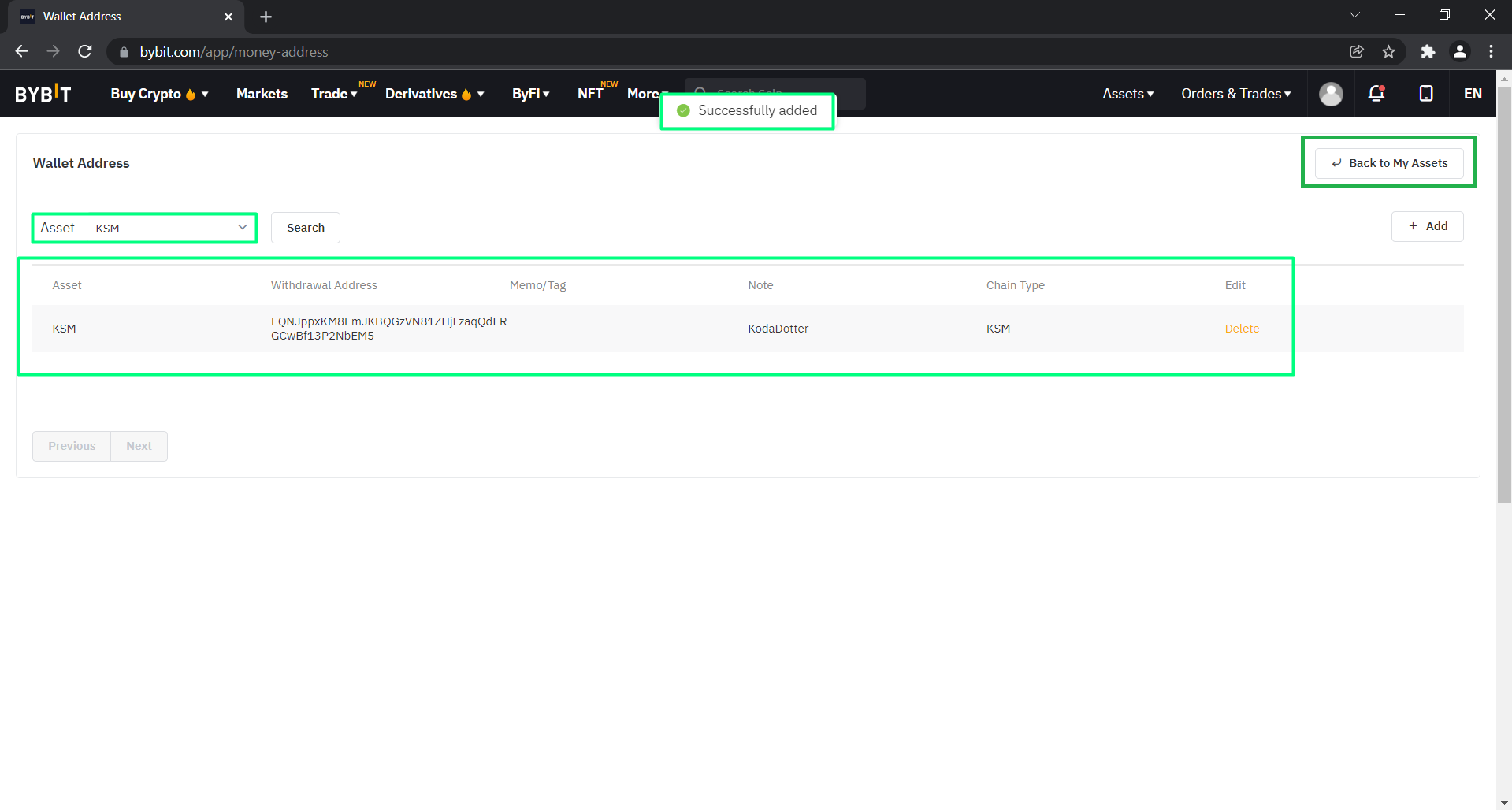
- To withdraw $KSM, click on "Withdraw" in the KSM row.
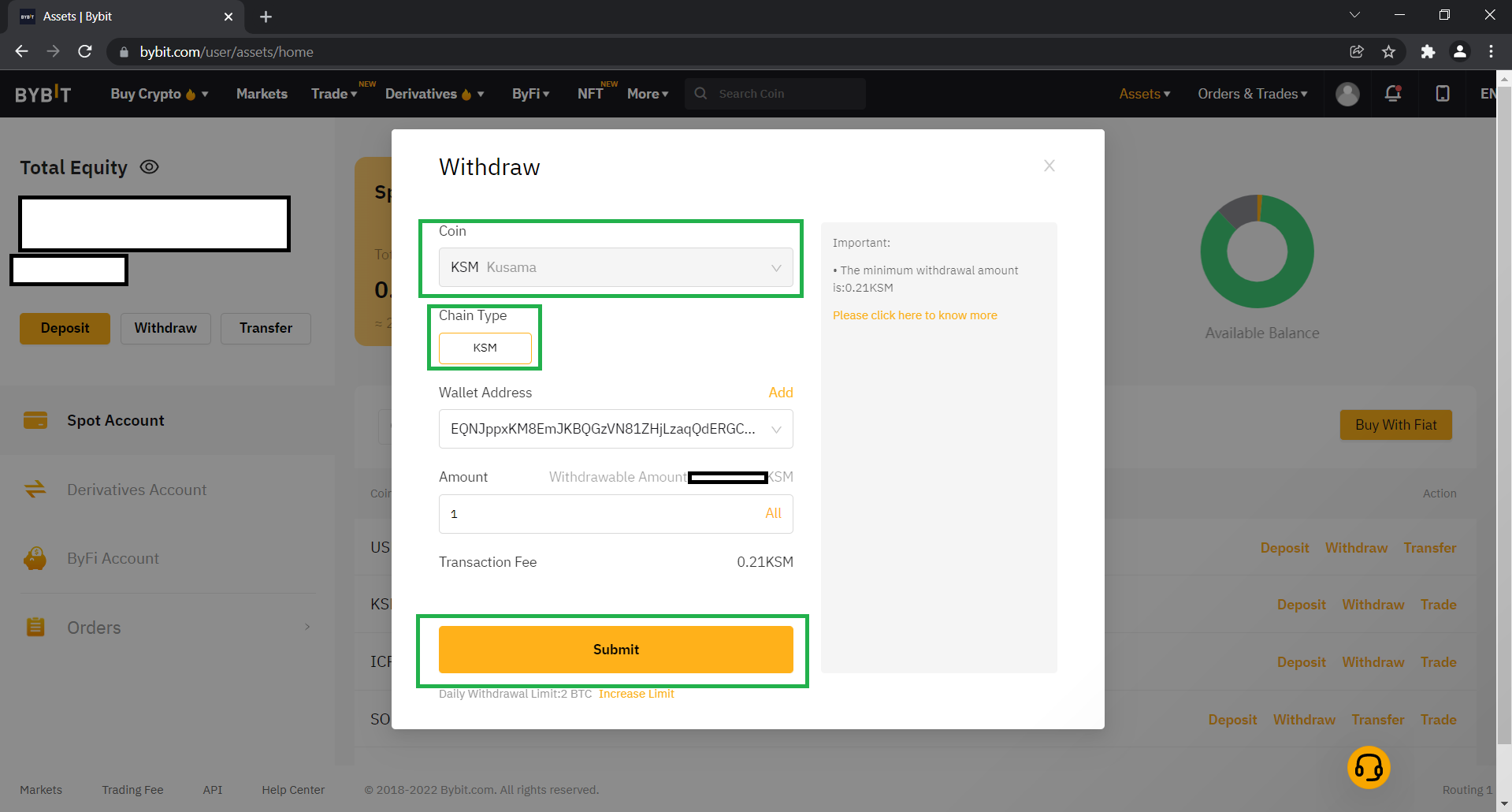
- You'll have a pop up.
- Set "KSM" (Kusama) as your Coin
- Set Chain Type to KSM!
- Input your wallet address from dropdown menu
- Enter the amount of $KSM you'd like to withdraw
- Click submit
The next window will be a confirmation of submitting your funds based on what security settings you have chosen.
🎉 You've successfully withdrawn your coins!
TIP
The process on most exchanges is similliar. The most important thing to note is to change the network to the Kusama Relay Chain in the polkadot.js wallet. Learn how to do it.
3) KodaDot Grants
We're always here to support artists. Apply for our grant to get some $KSM in your wallet!