
How to airdrop nfts to multiple adresses?
Airdrop is a form of multiple tokens being sent out in one single click. All you need to do, is simply input list of adresses you want to airdrop to.
To start airdroping, you must have polkadot.js wallet with some $KSM balance. If you don't know how to do that, start with our step by step tutorial.
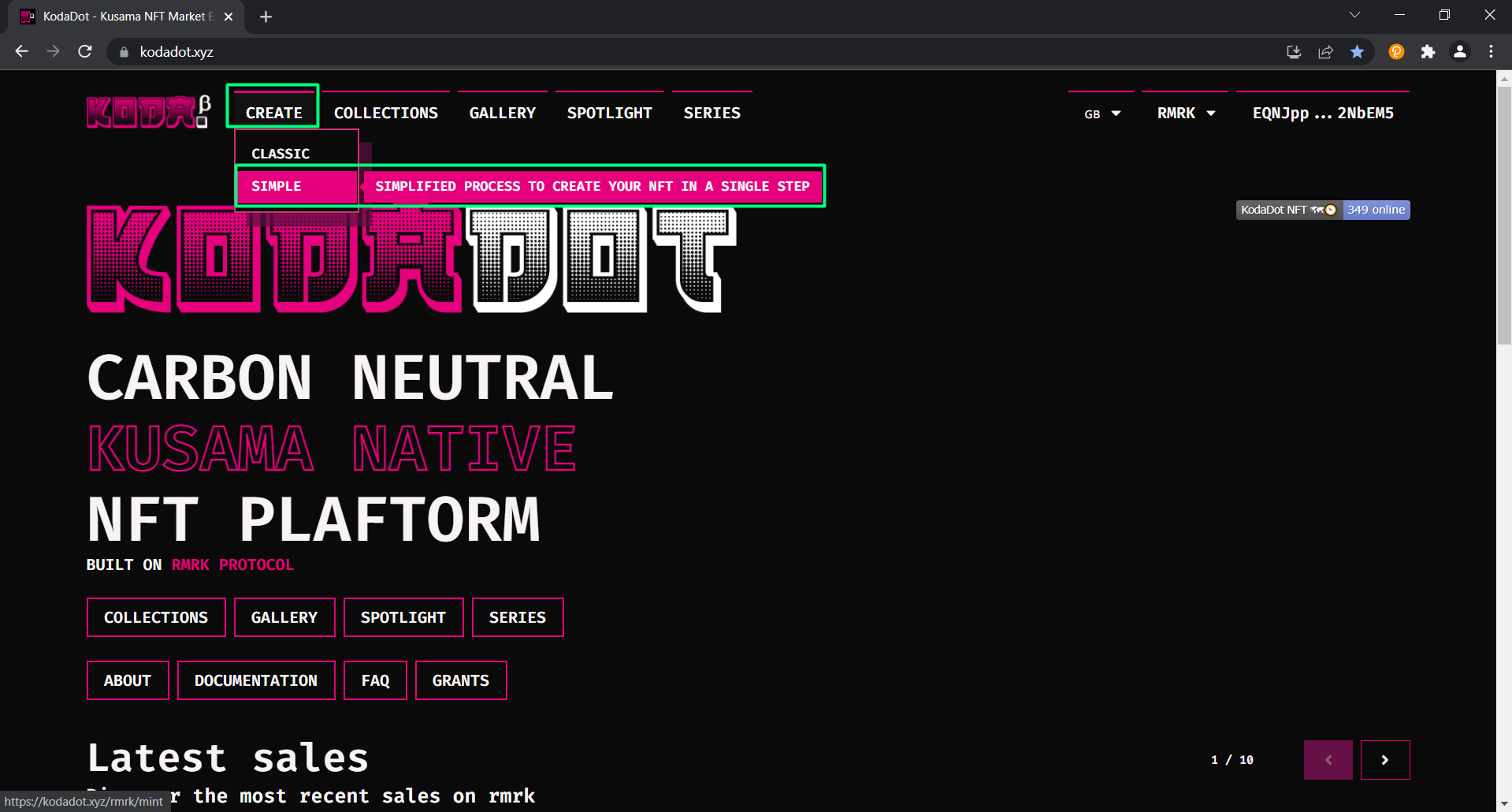
- We are now on kodadot.xyz landing page. In the left upper corner, click on "create" and choose "simple"
- This process might already be familiar for you thanks to How to mint tutorial.
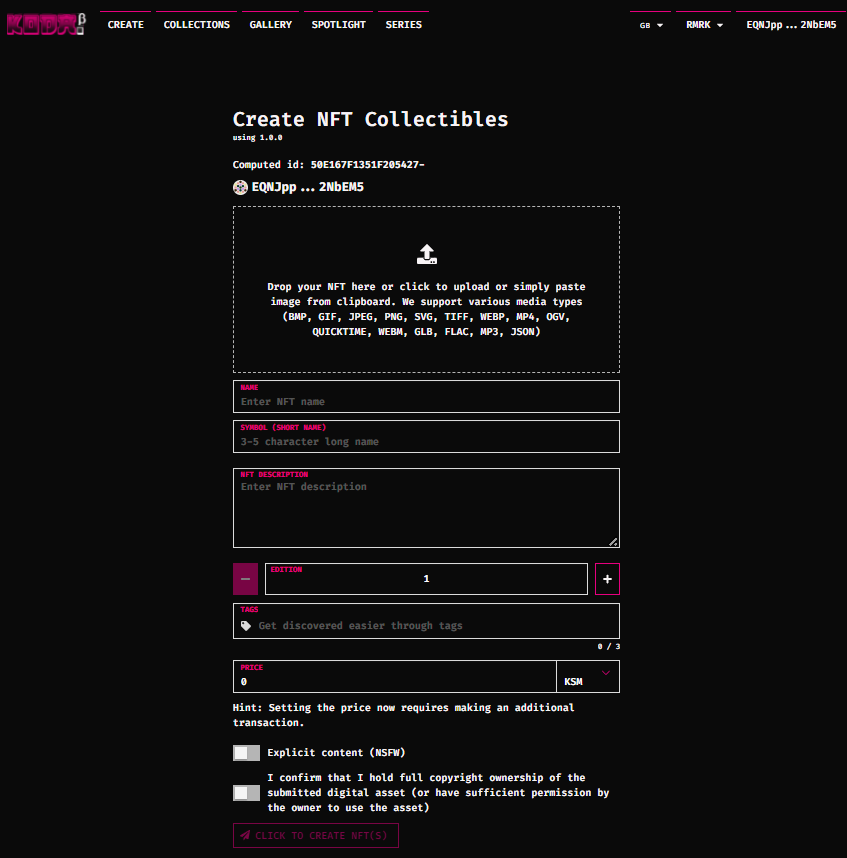
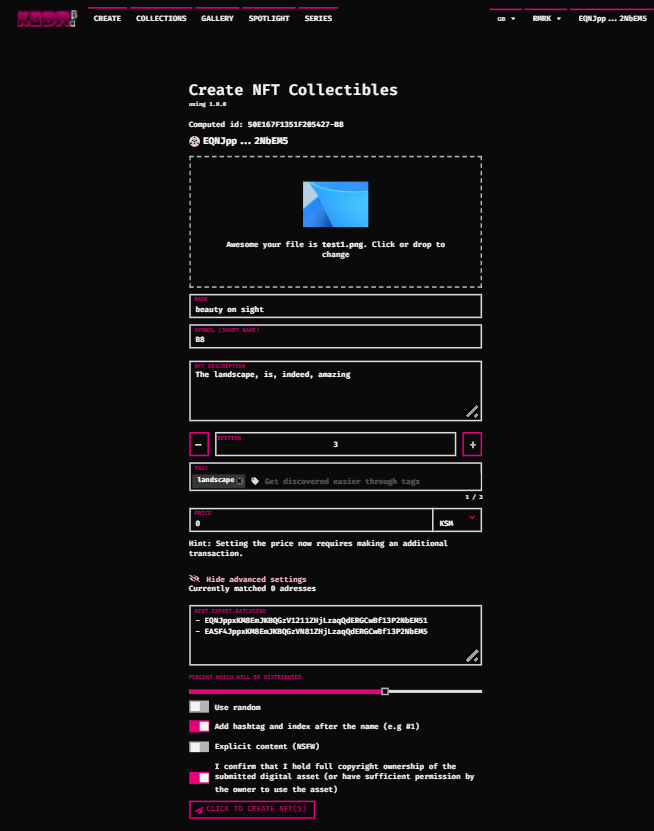
- Upload the file and fill all the desired details of the NFT you want to airdrop
- Once you input all the details, click on "Show advanced settings"
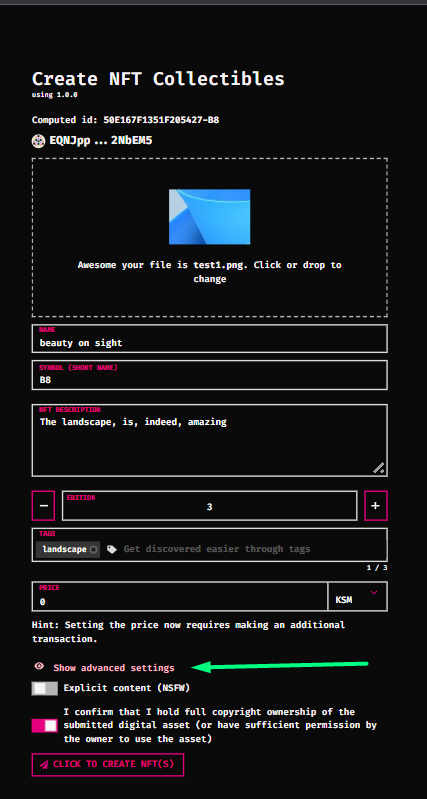
- You now have few options to select from. You can see that we've chose to go with 3 nft pieces(edition)
- The slider indicates how many % of the listed adresses will get the NFT.
- For example: If you decide to go with 3 editions(3 pieces) and choose 50%, only 50% of the adresses will recieve the NFT according to how many pieces have you decided to go with.
- "Use random" will randomly choose which adresses will get the airdrop
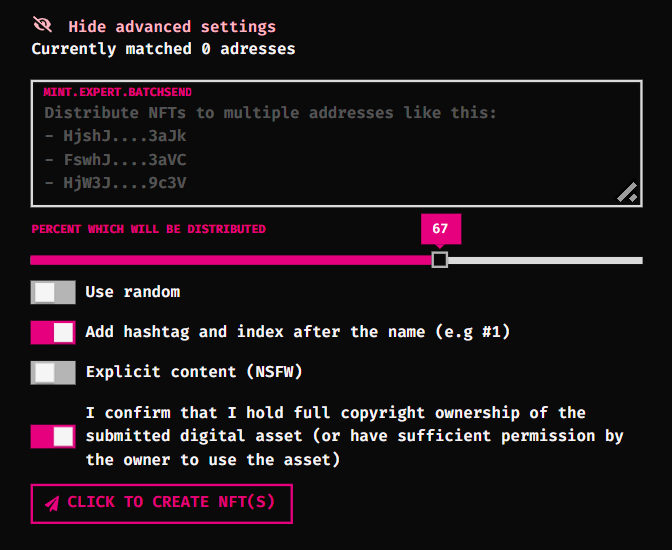
- Once you finish inputting the adresses, click on "click to create nfts"
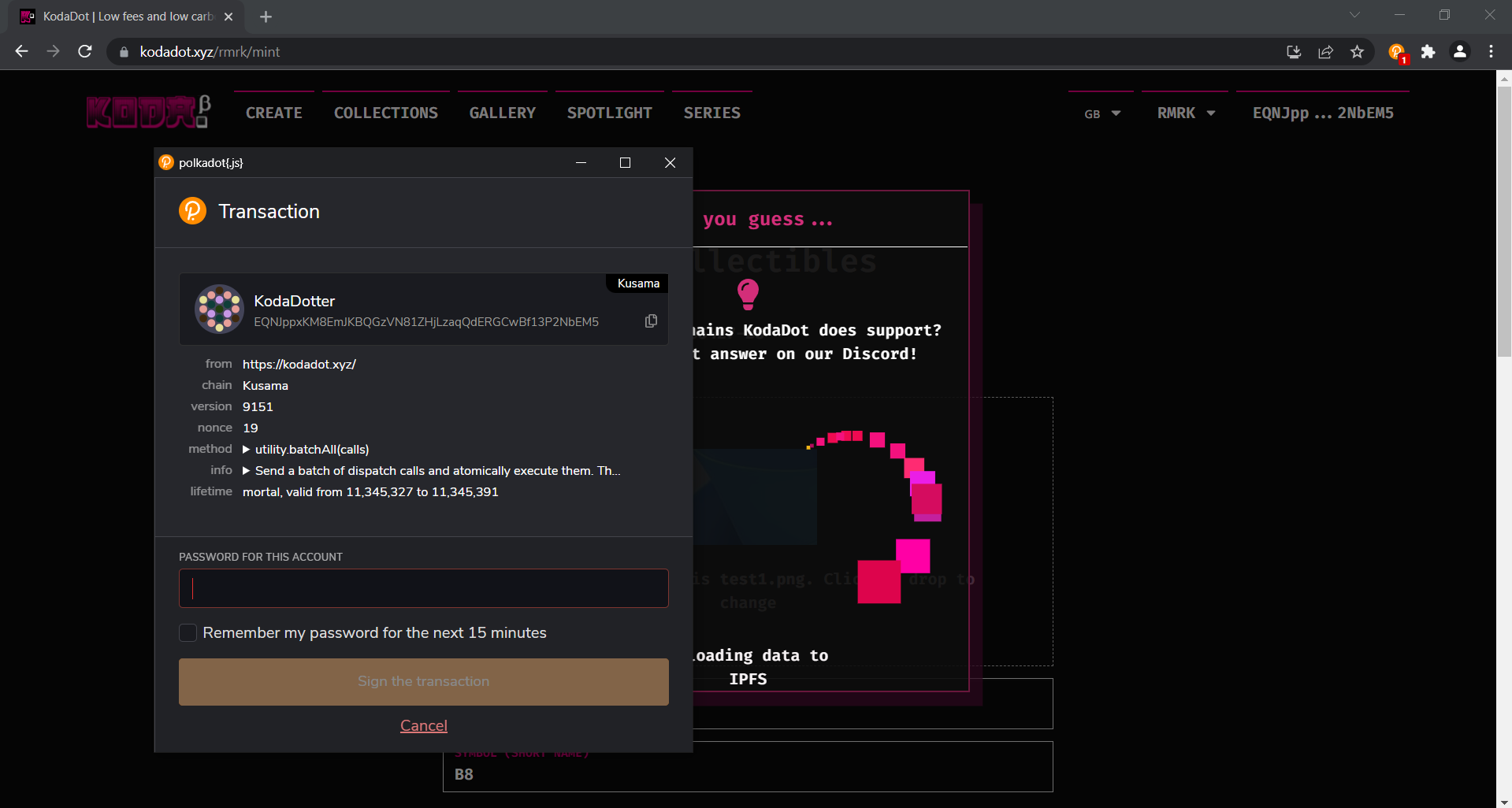
- Input your password and sign the transaction
- You've succesfully airdroped nfts! 🎉