
Creating a Wallet
We'll be learning how to set up a polkadot.js wallet, a popular wallet used in the Polkadot/Kusama ecosystem!
Video Tutorial
Step-by-step Tutorial
- Head over to polkadot.js.org/extension/
- Download one of the options based on your browser
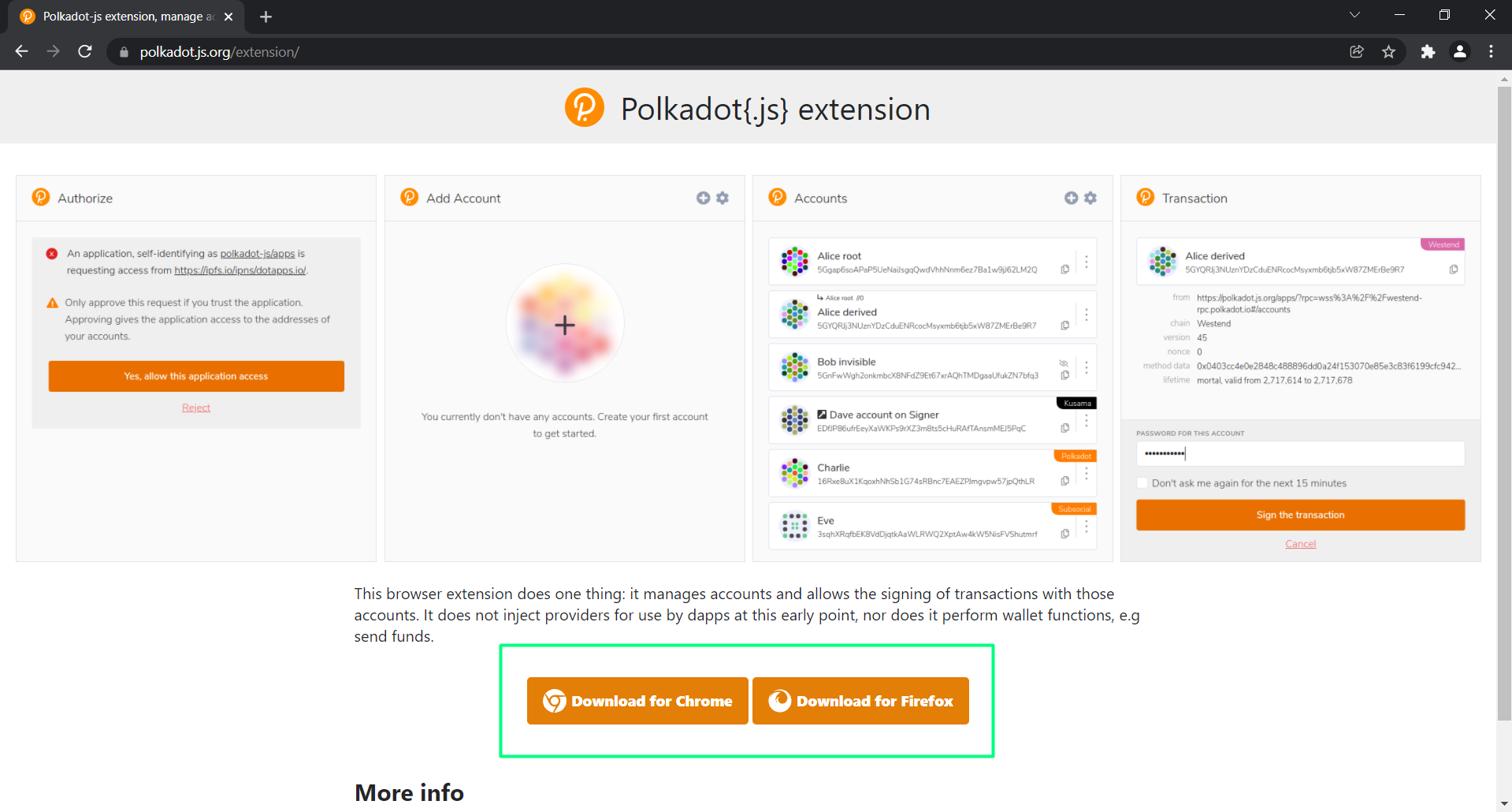
You'll be redirected to your web store, where you add the extension to your browser.
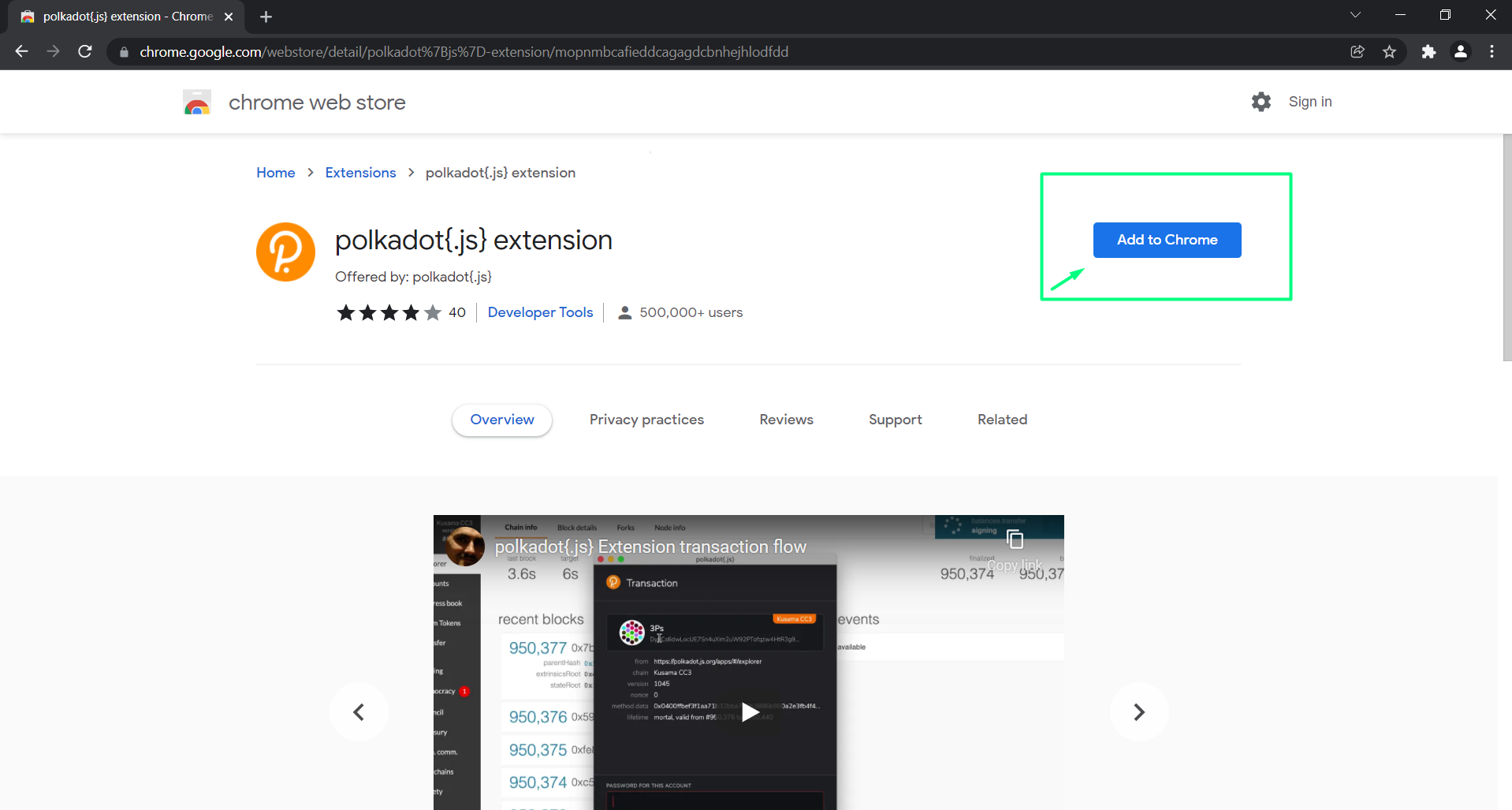
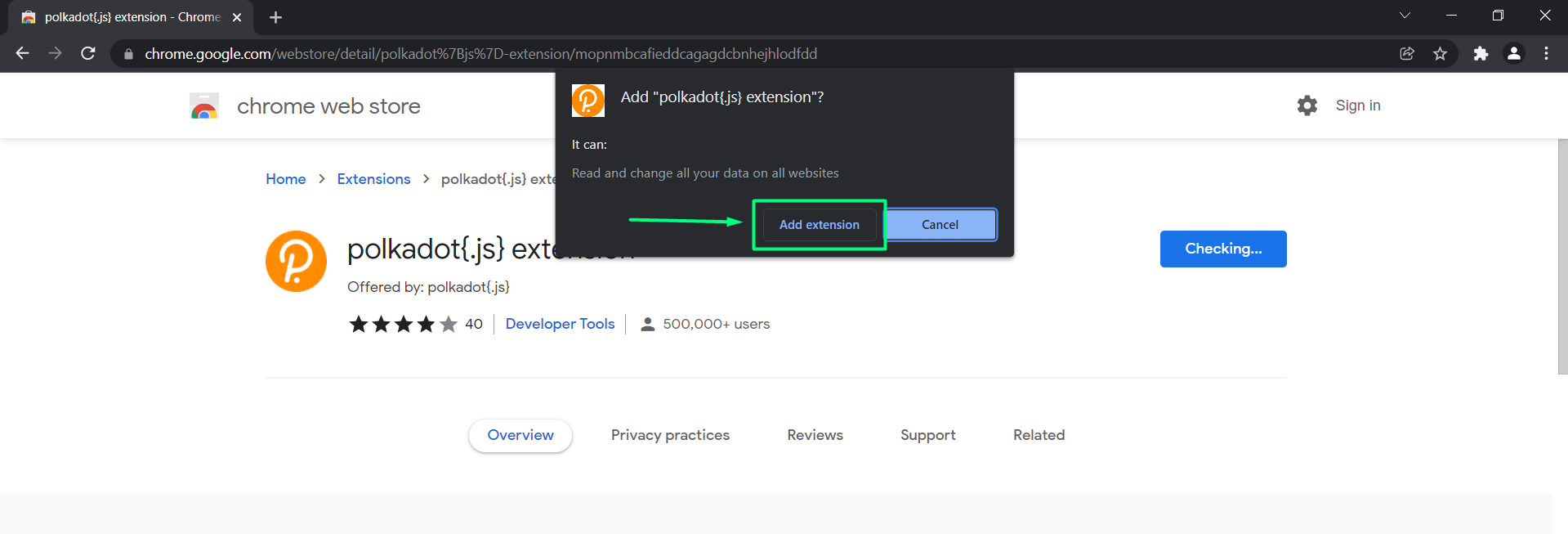
- Click on "Add extension"
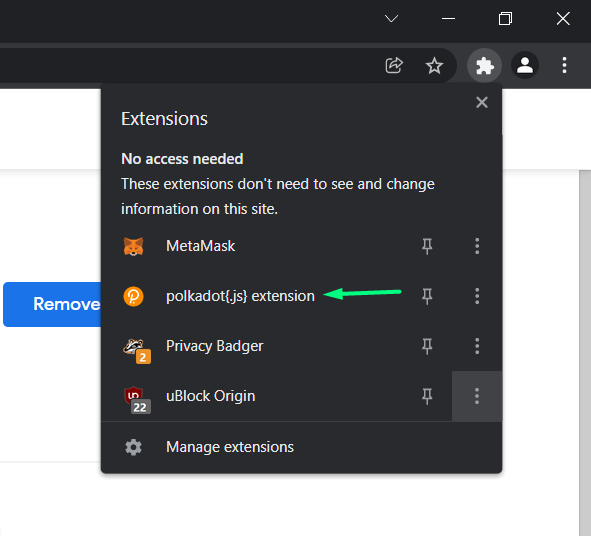
- In the right upper corner click on the extension shortcut and choose polkadot.js extension
- A pop-up window appears. Read the notes and continue by clicking on "Understand, let me continue". Keep the pop-up windown open to finish the process succesfully

- Click on the + button
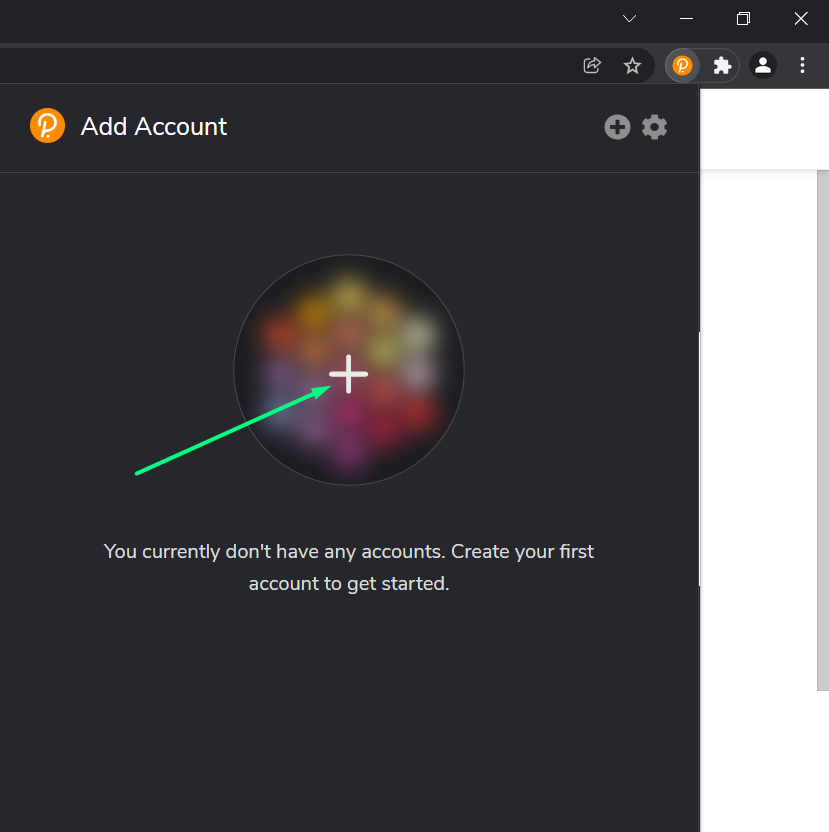
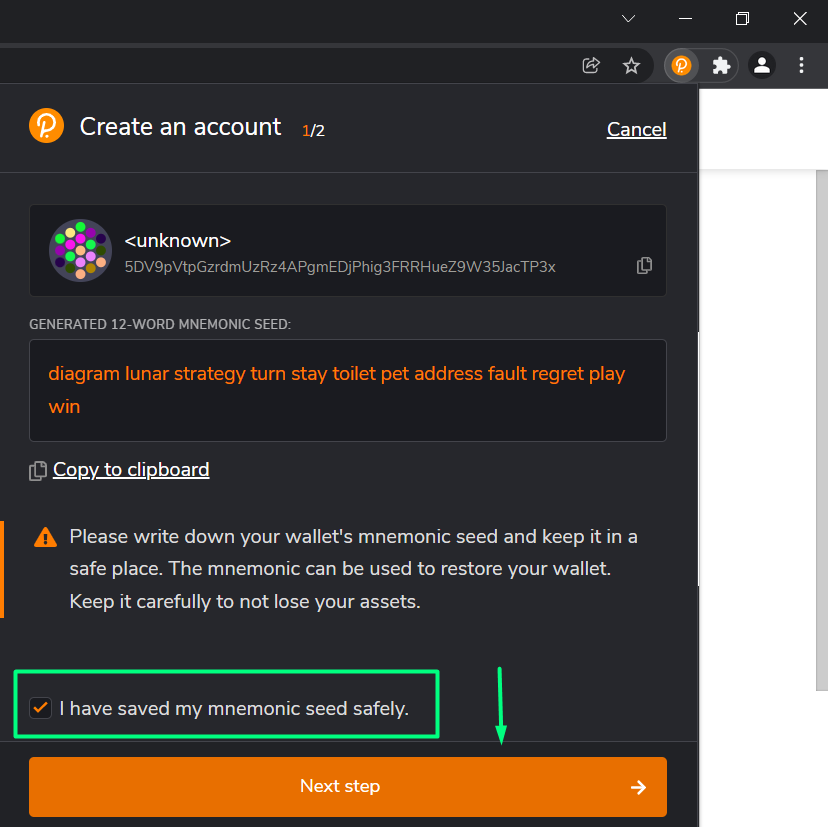
- Tick the box and continue to next step
WARNING
The 12-word mnemonic seed is unique phrase, which only you have access to. You can retrieve your account on any device with your seed phrase. Store your seed phrase somewhere safe and NEVER share your seed phrase as your funds can be lost/stolen.
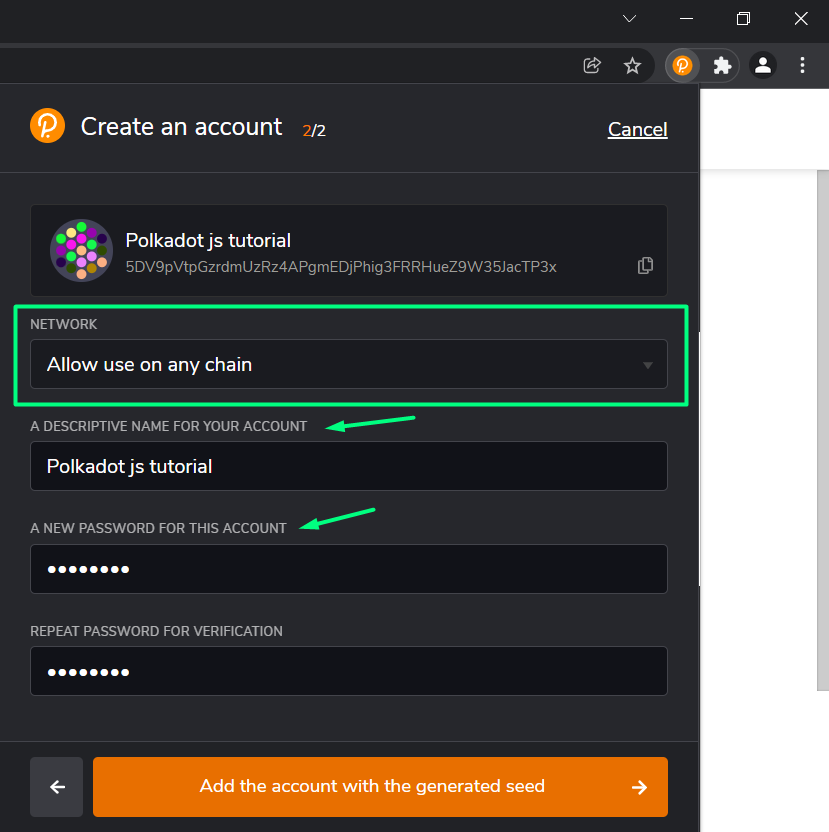
- Choose a descriptive name and password for your account. Remember: the longer the password, the stronger it is
Congratulations! you've succesfully created polkadot.js wallet! The shown address is a universal address for Polkadot/Kusama ecosystem.
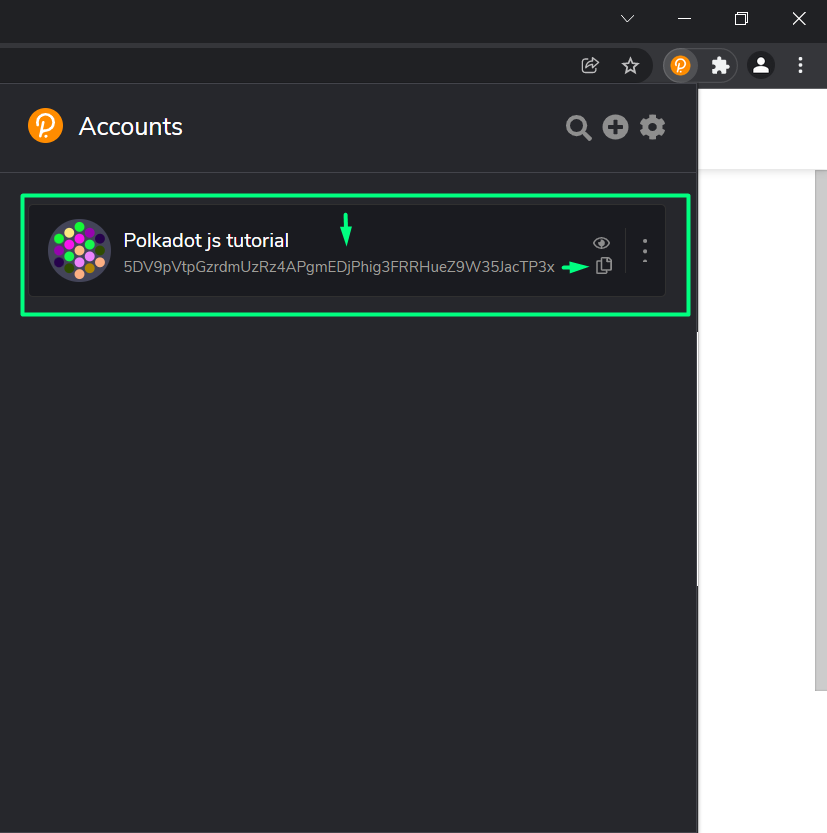
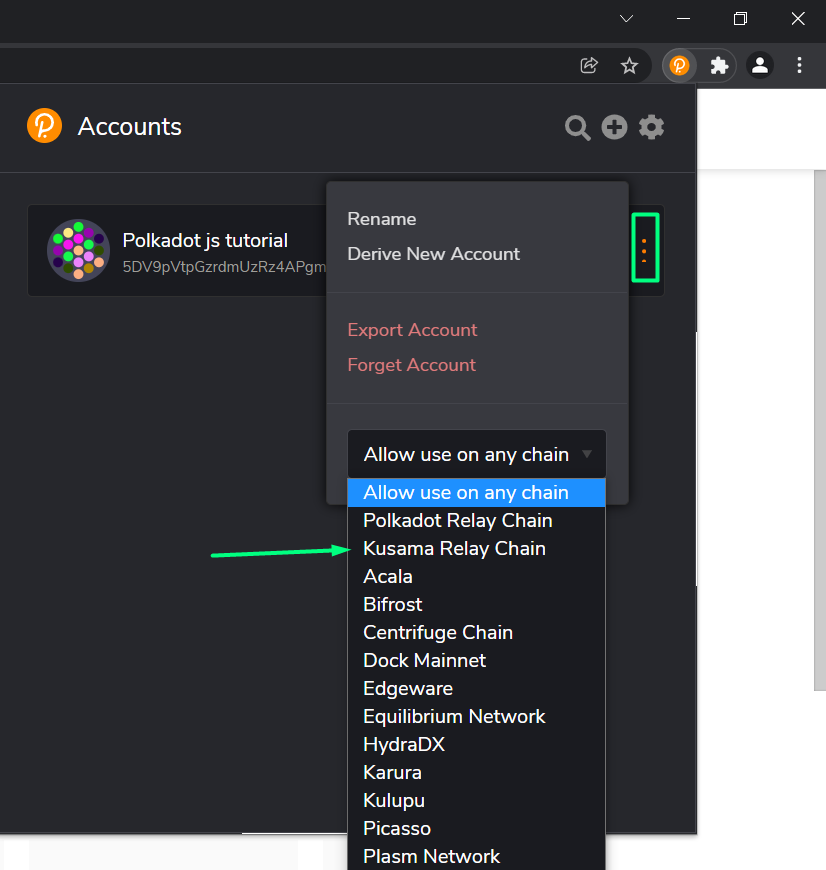
- By clicking on the three dots, a window will show up enabling you to choose a different network. KodaDot is running on Kusama, so you need your Kusama address for purposes involving KodaDot.
TIP
Sharing your address is fine (not your seed phrase). This allows you to send/recieve funds. All your transactions are visible on blockchain, by default.
Change your network here:
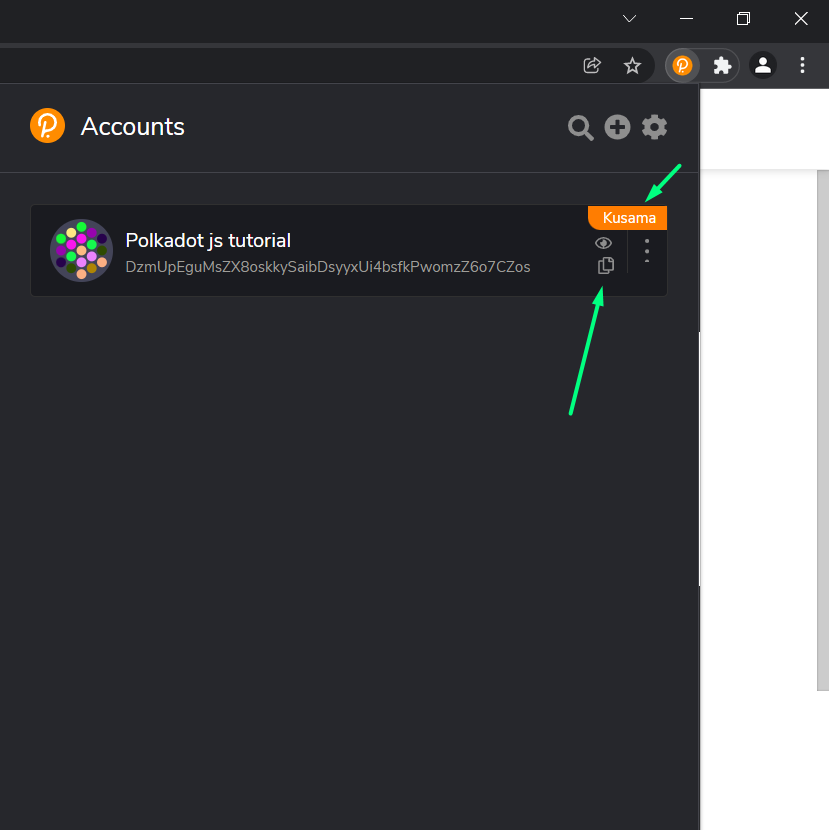
Yay! You've changed to the Kusama Relay Chain. Send ONLY $KSM to this address. This is different from the "Allow to use on any chain" option.
Learn how to add funds to your wallet here!