
Congratulations! You've gotten a bounty from a successful PR you submitted- but now what?
If you're converting it to fiat (aww inflation sucks!) or keeping it just in your wallet, maybe you'll want to learn how to make your $KSM work for you without you doing anything!
Let's learn about how to stake your $KSM!
This tutorial is intended for nominators (i.e those who are staking to the validators and earning rewards passively).
It's recommended that you generate a separate Controller (the account that will start/stop staking) AND Stash (the account that will hold large funds) key.
Navigate to the Staking option in the Network dropdown menu
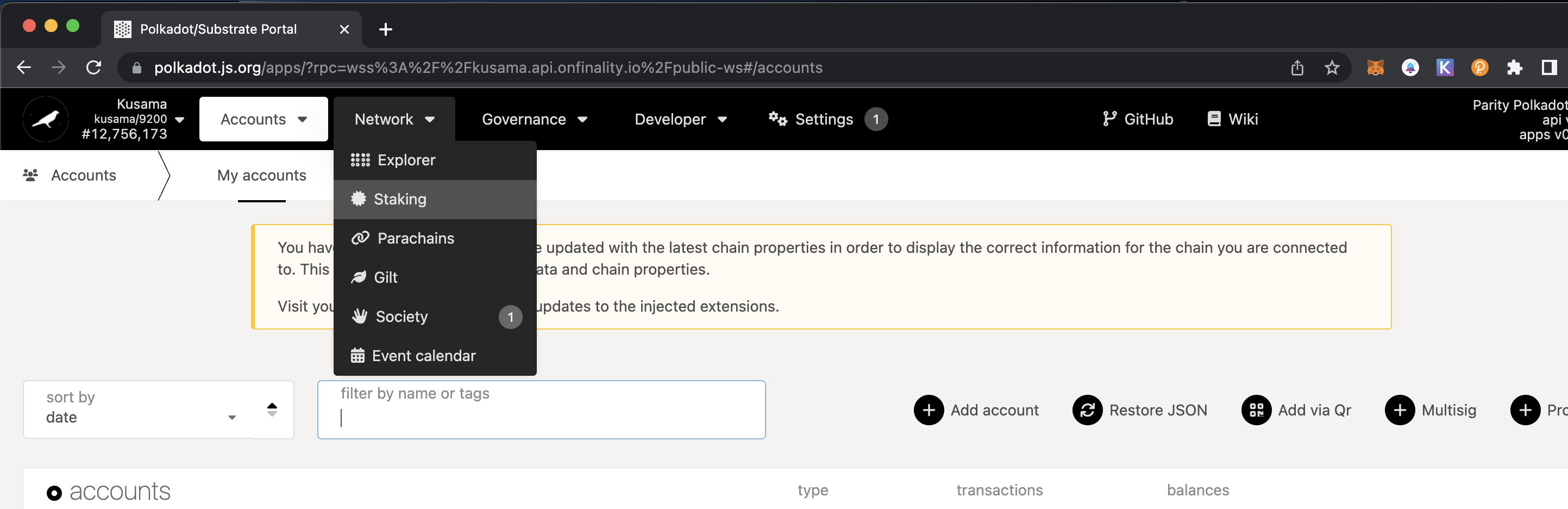 Here you'll see all the validators, their information, and their statistics.
Go to the "Accounts" tab
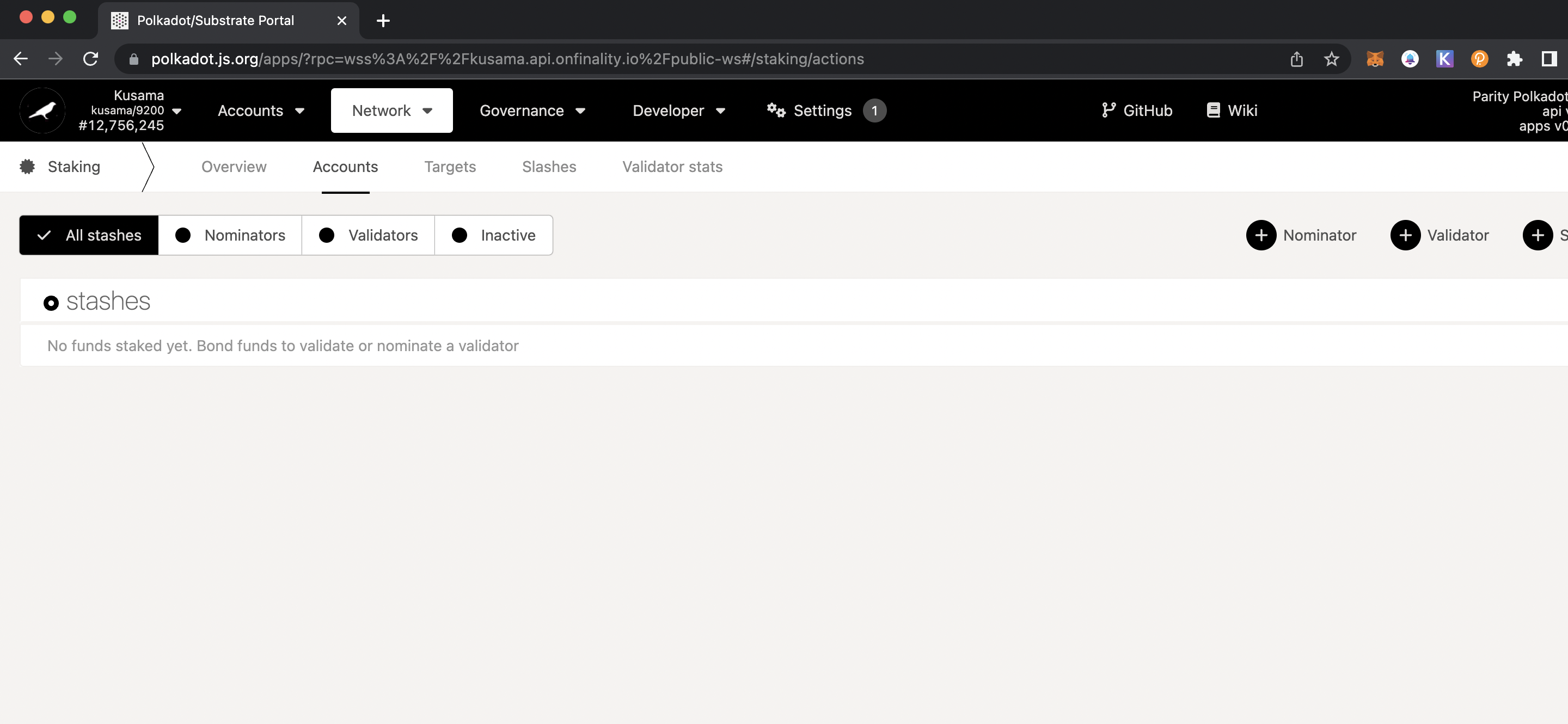
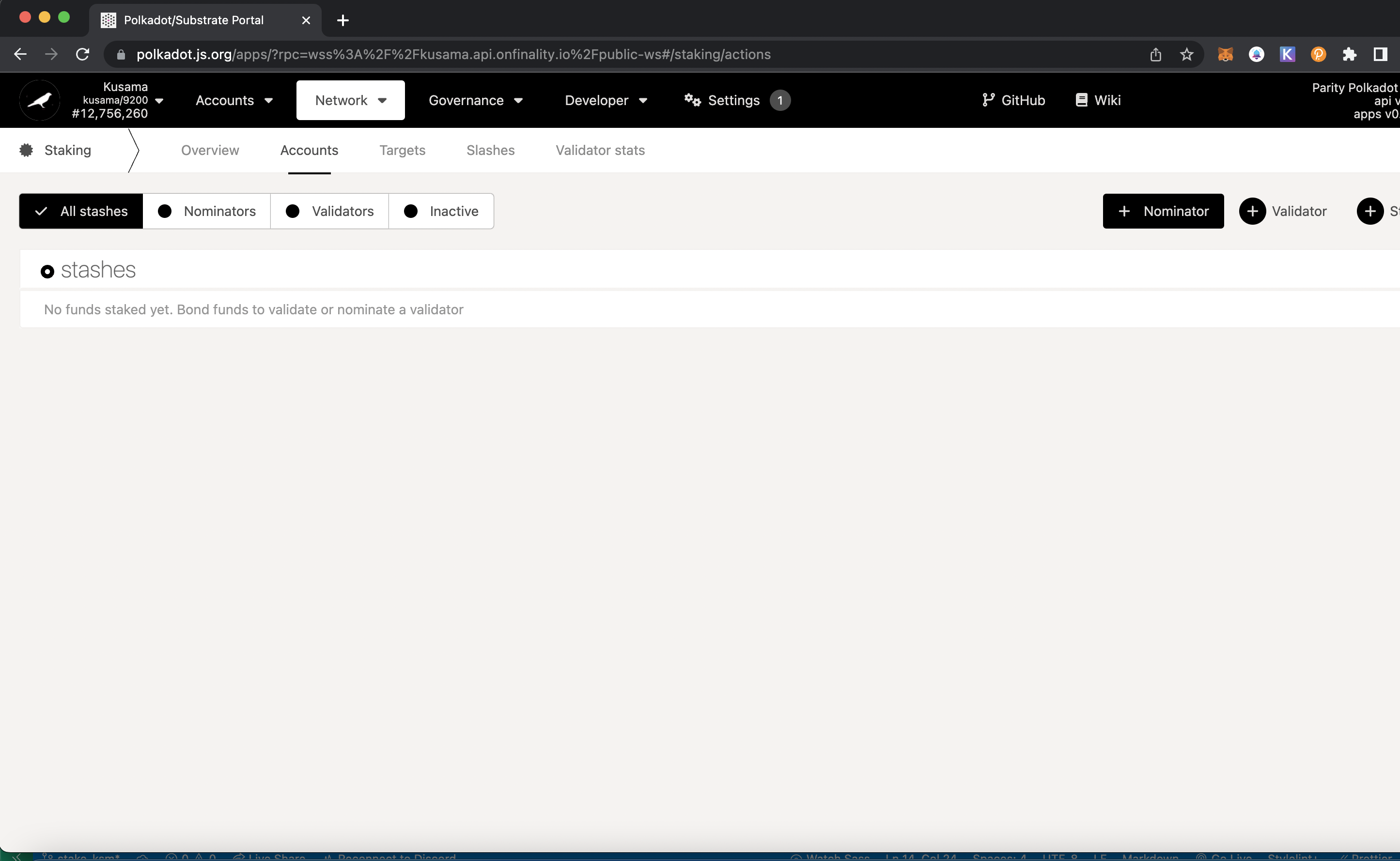
Click the "+ Nominator" tab
You will see a modal pop up
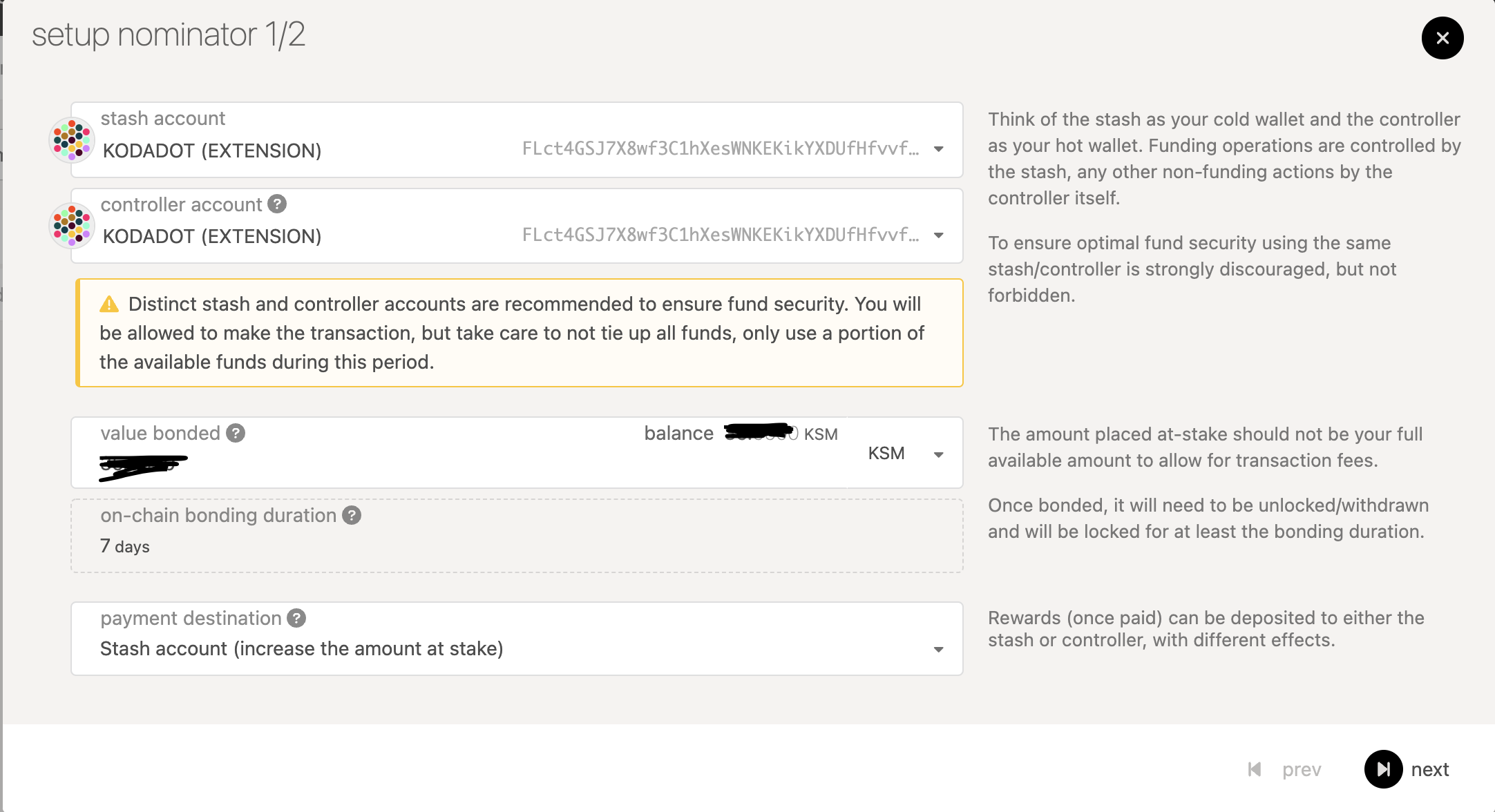
Enter an amount in "value bonded" that is LESS than the amount of KSM you have because you also need to pay transaction fees. Please also keep in mind to have a set amount of KSM in your wallet or else it will be considered inactive!
Then, choose your desired payment destination in "payment destination". This is where all your funds from staking will go to. It's recommened that you choose "Stash account (increase amount at stake)" to keep your funds all in one place and earn compound interest.
You're now bonded! This means your funds are now able to be staked to validators! It also means that your funds can be slashed (see at the bottom) so do your research!
- You will now see this screen. Here you can choose the validators you'd like to stake your funds to!
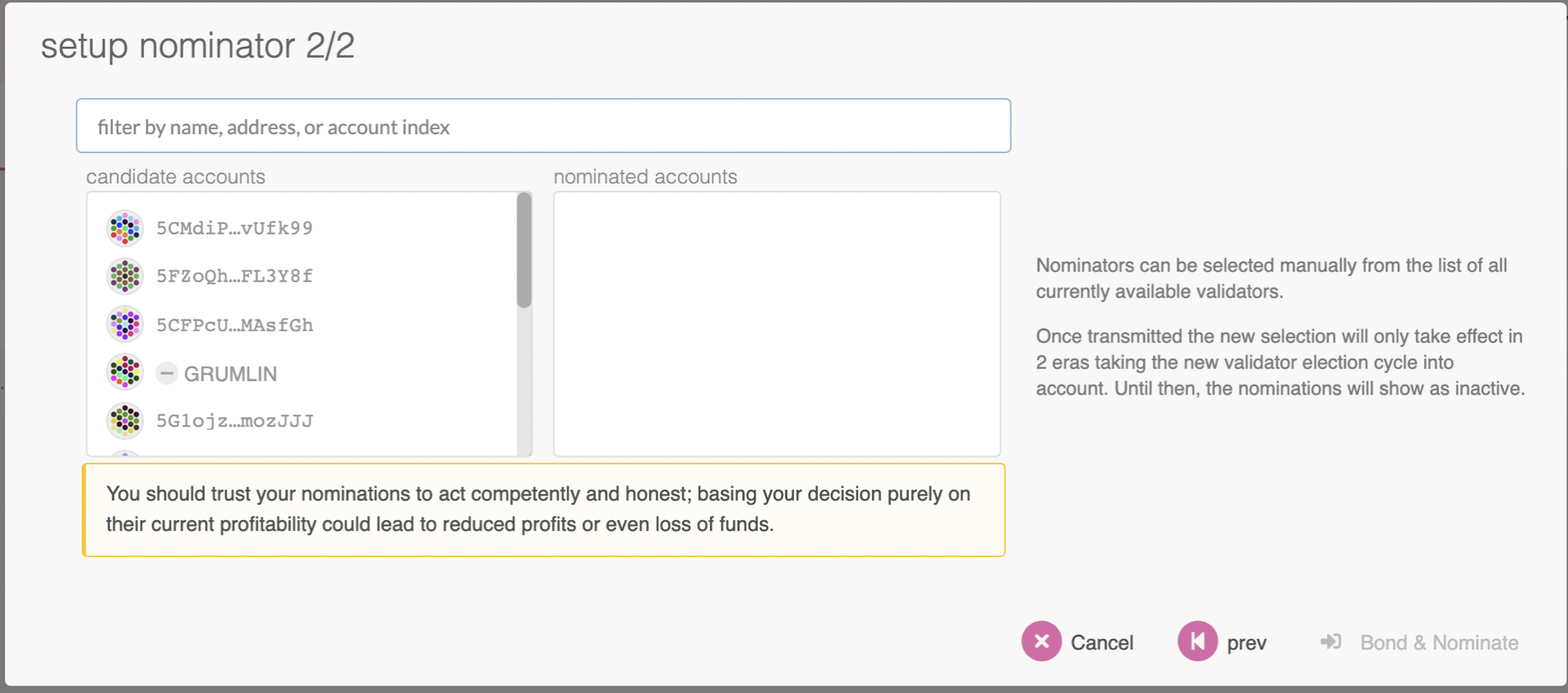
Click Bond & Nominate and you're done!
In order to claim your payouts, you have to navigate to the "Payouts" tab and claim them manually to add your staking rewards to your funds!
Extras
How to Pick Validators
It's very important to do research before staking your $KSM to validators. There's a risk of slashing (validators and nominators losing a percentage of their staked KSM) so try your best to decrease those chances!
Here's what to look for when considering a validator:
- See if the validator is verified by checking if there's a green checkmark beside their name
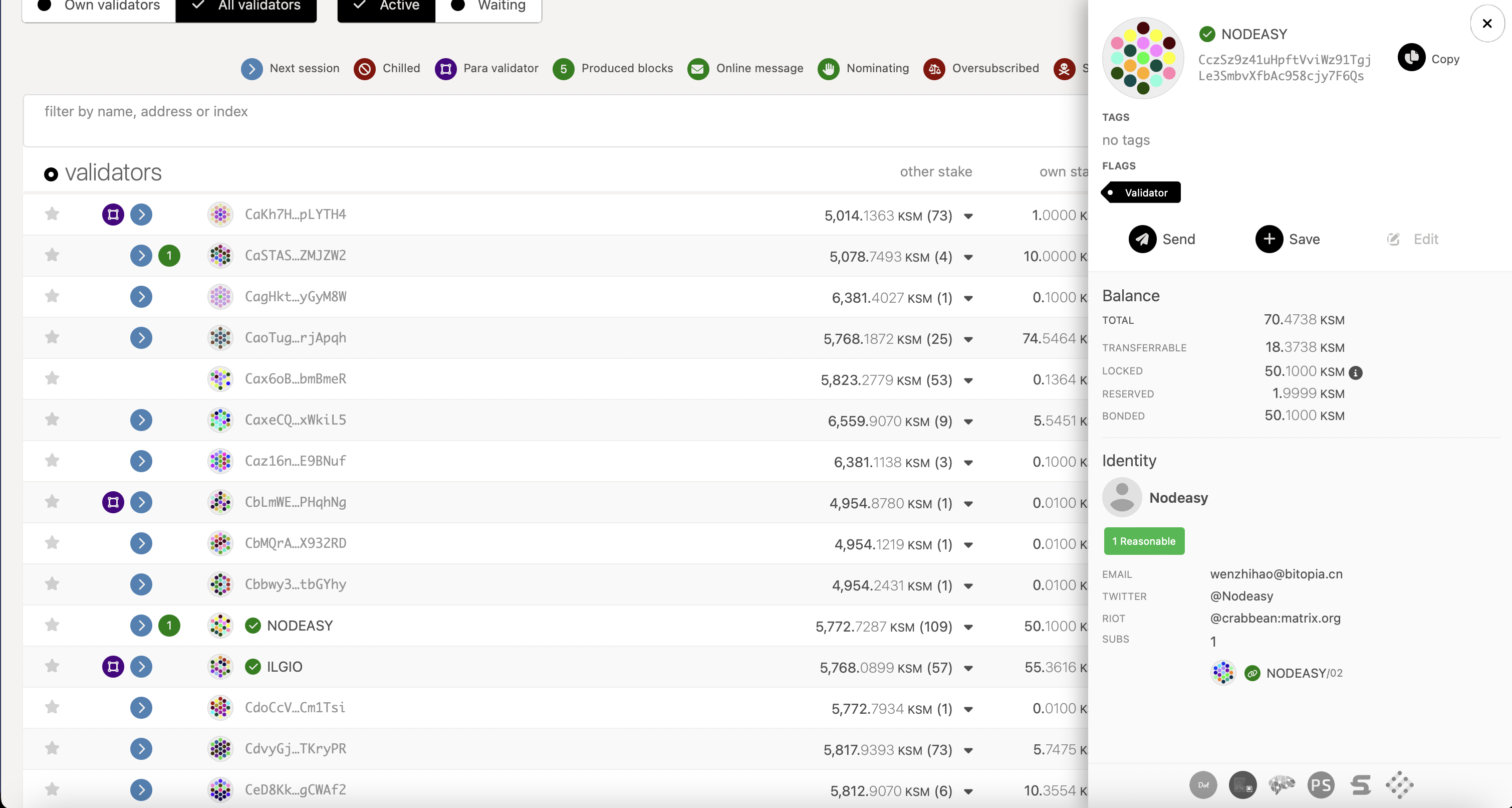
This means their information has been confirmed by Kusama. Not everyone will have a verified badge!
- Pay attention to the icons near each validator's names
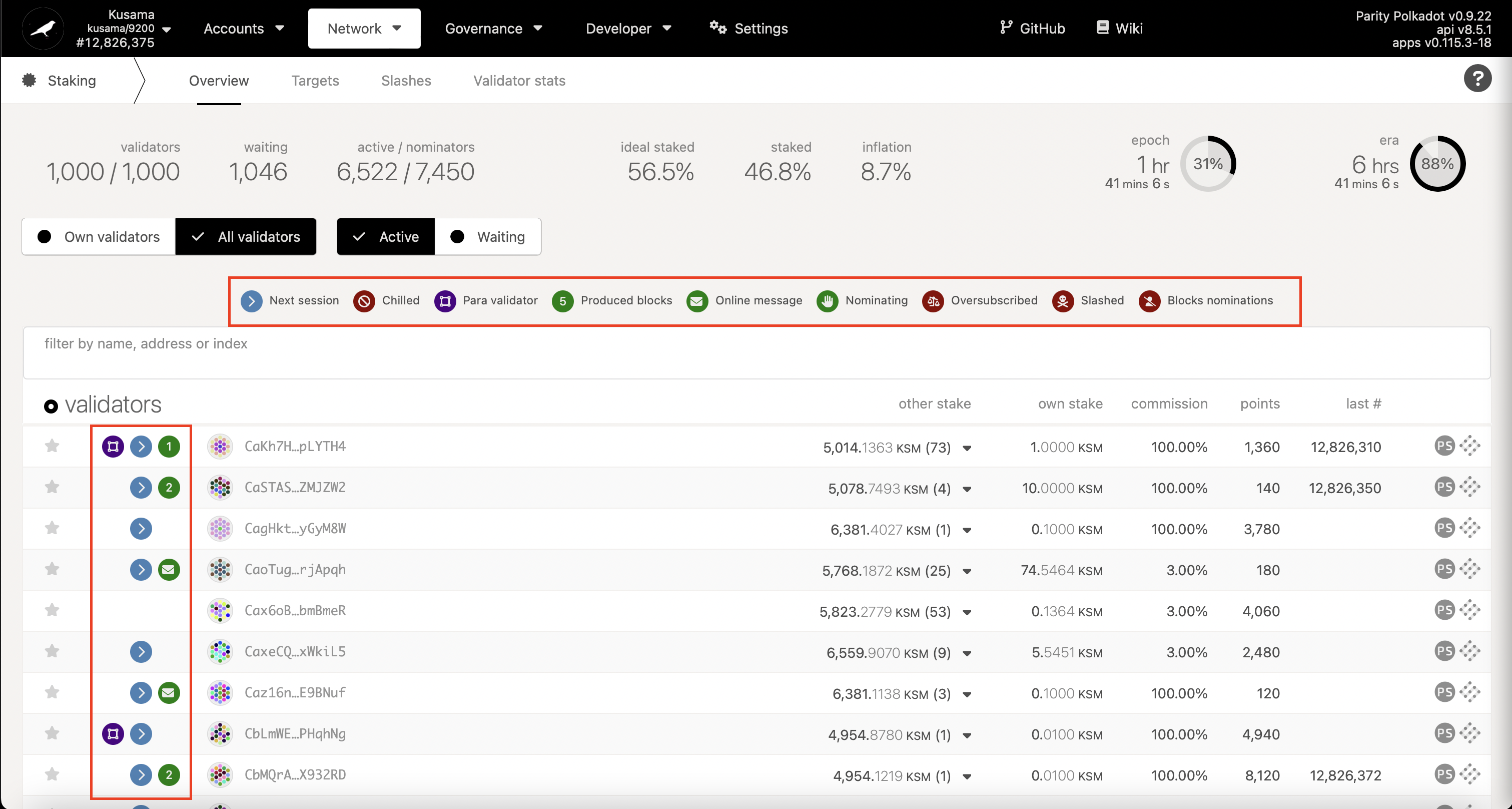
This can tell you about the performance and activity of a validator. Make sure to skip those with the red icons (oversubscribed, slashed, blocks nominations)!
Also note: although you can still nominate to "oversubscribed" validators, only the top 256 nominators will get rewards. It's recommended that you don't stake to any validators with a lot of nominators as you can easily (and quickly) get bumped to below 256.
- Check the commission rates (and they can change!)
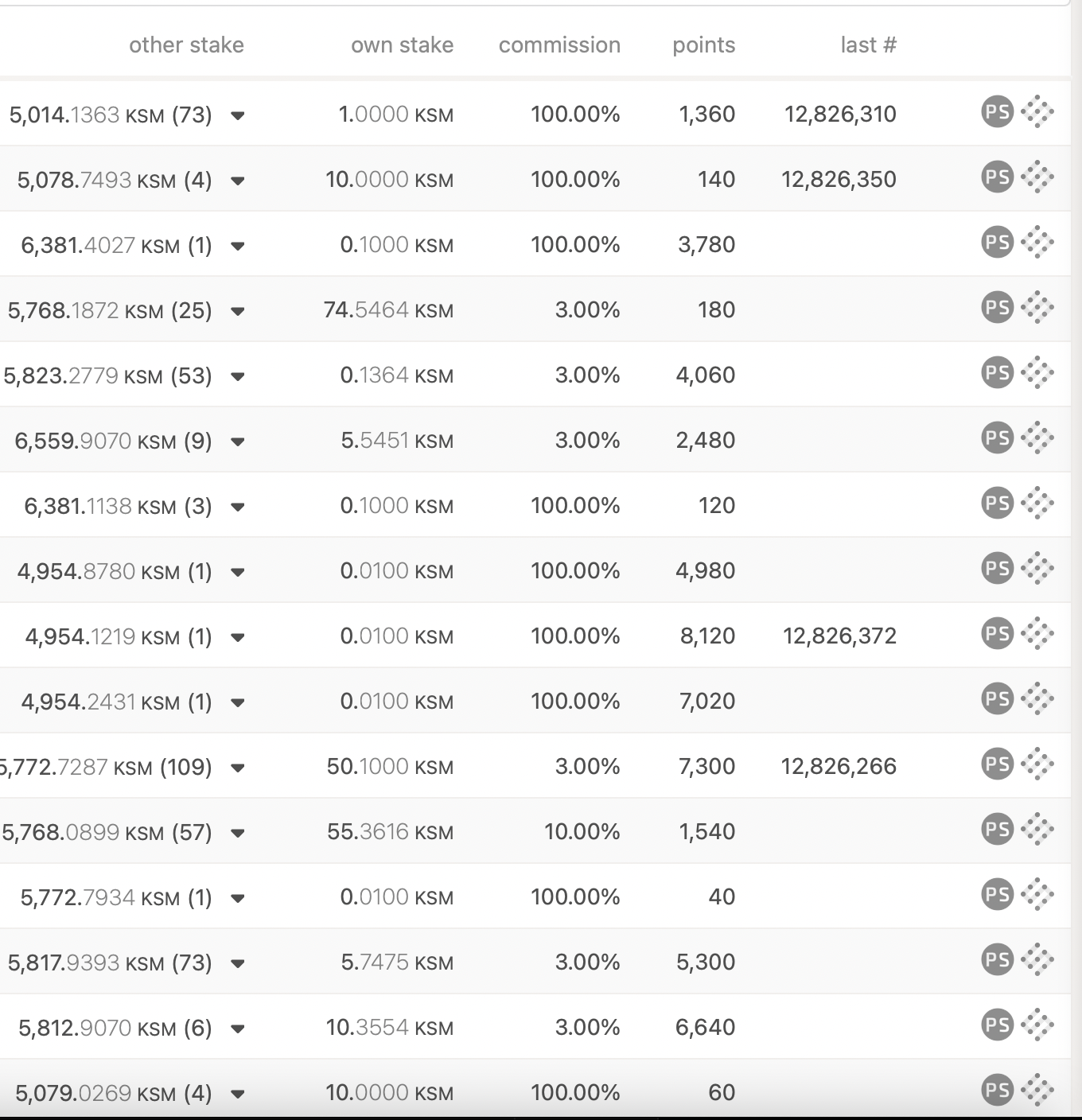
VALIDATORS WITH 100% COMMISSION RATES WILL GET YOU NO REWARDS
- Check their statistics
Click the "PS" icon to the far right of the validator 
Here you'll be introduced to statistics that can help structure your opinion on a validator. If you navigate to the "Charts" tab, you can see the performance of a validator.
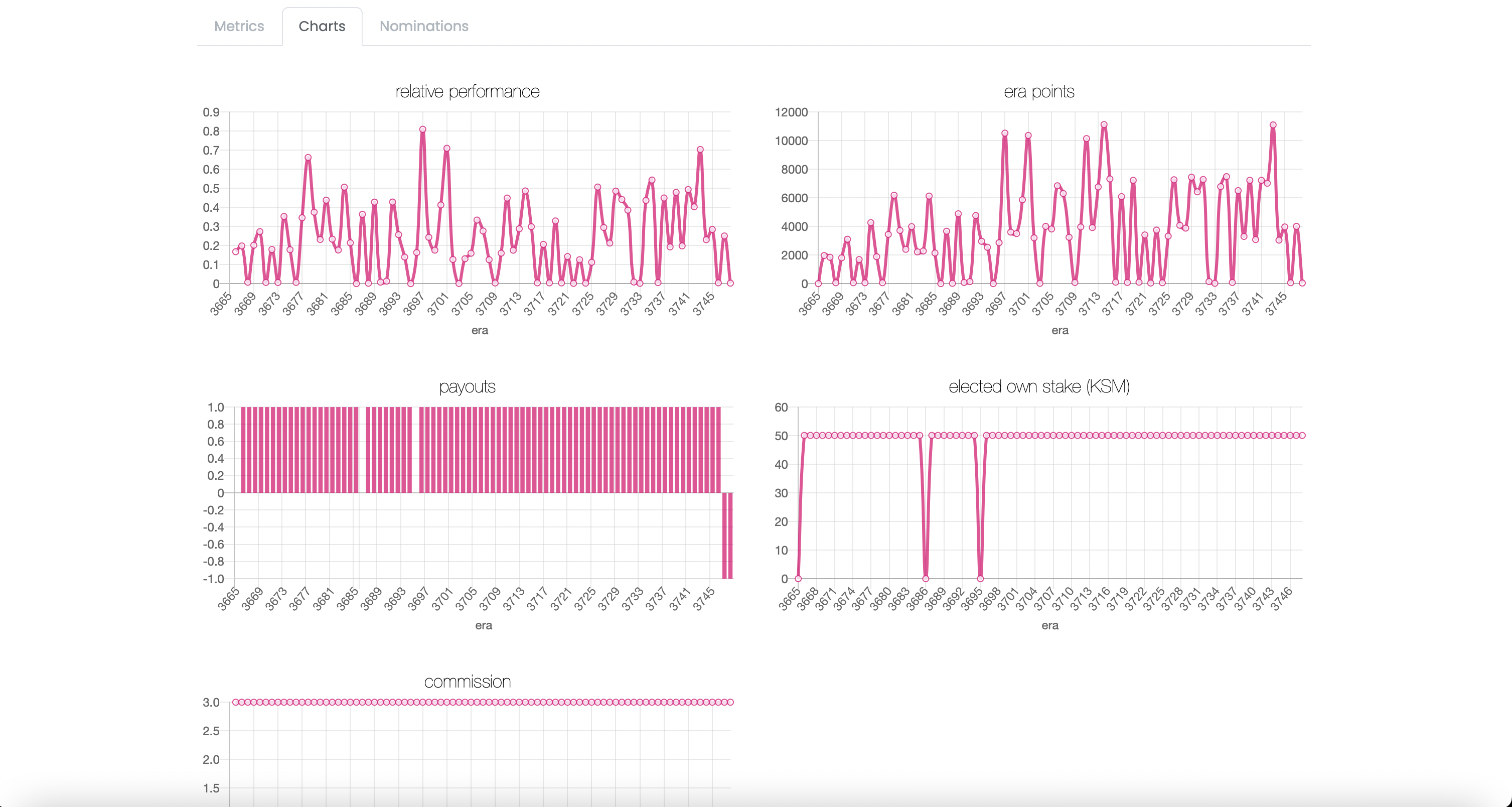
One of the most important things you should pay attention to is the era points. Nominators are paid proportionally to the amount of era points you have in a span of 6 hours in Kusama.
How to Stop Staking
- Navigate to the "Staking" tab
- Go to the "Accounts" tab
- Click "Stop Nominating" on the validator you want to separate from
This will STOP staking to the validators, if you want to WITHDRAW your KSM, you need to unbond them
- To unbond the desired amount, click the three dots next to the account you want to unbond tokens for, and select "Unbond funds".
- Choose the amount you want to unbond, and you're done!
References
https://guide.kusama.network/docs/maintain-guides-how-to-nominate-polkadot/#using-polkadot-js-ui
https://wiki.polkadot.network/docs/maintain-guides-validator-payout